

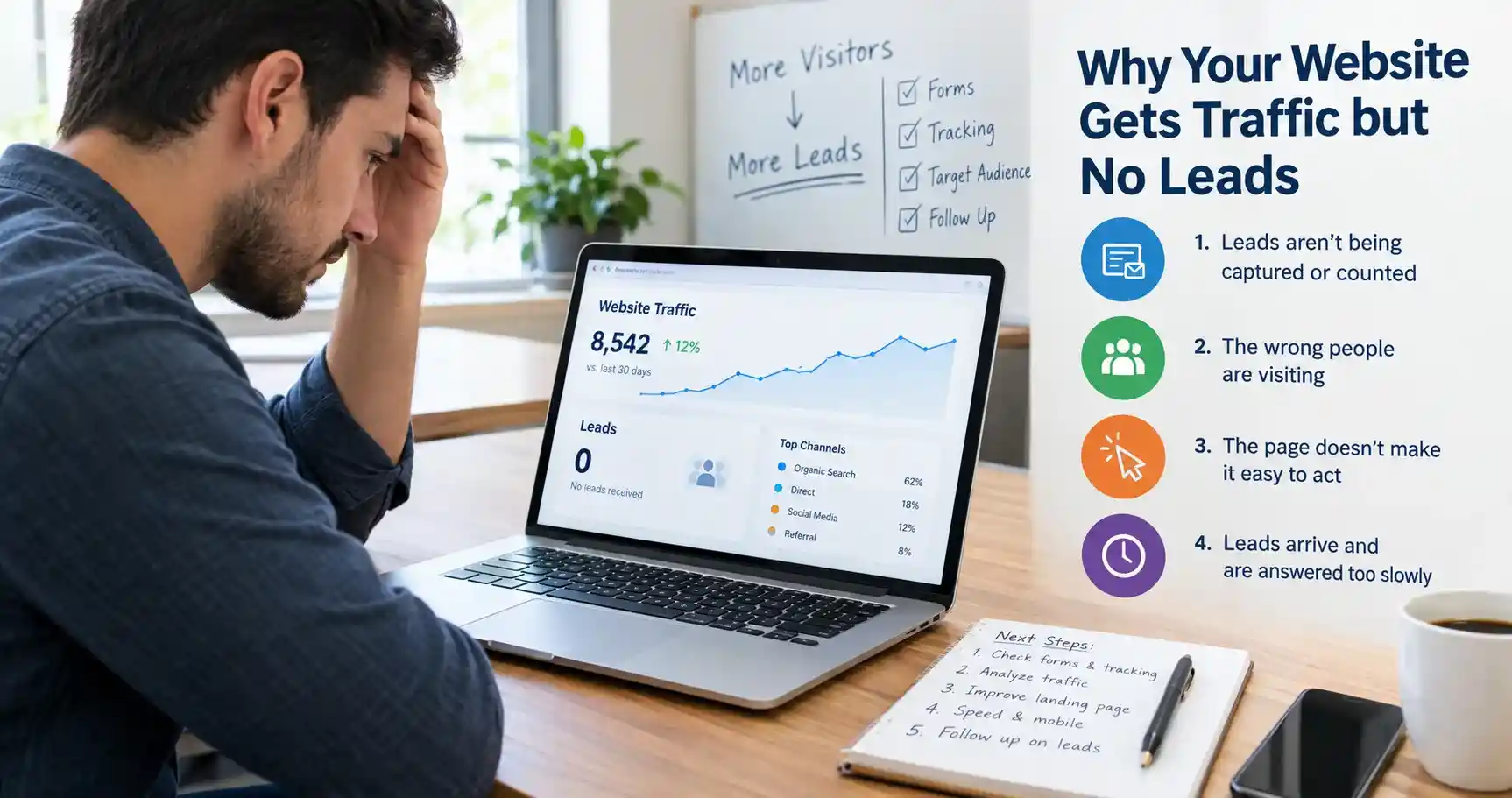
If your website is not generating leads even though people are visiting, the cause is almost always one of four things, and I would check them in this order: leads are happening but are not being captured or counted, the wrong people are visiting, the page does not give the right visitor a reason or an easy way to act, or leads arrive and are answered too slowly.
Most articles on this topic start at the third item and hand you a list of design tweaks. That is the wrong place to start. If your contact form silently fails, no amount of better copy will help. So this guide works through the four checks in order, with free tools, and ends with a plan you can finish in two weeks.
This guide is part of my online marketing guides. If you only have an hour, do the first check below and come back.
Why the order matters
Imagine you rewrite your homepage, add a bigger button and shorten the form. Leads still do not arrive, because the form notification goes to a spam folder nobody checks. You have spent a week fixing the wrong thing.
The reverse also happens. A site can be bringing in leads by phone and WhatsApp that nobody counts, so the dashboard says zero while the business is busy. Before you decide that the website is failing, find out whether it really is.
Check 1: Are leads being captured and counted?
Spend an hour on this before anything else. It is the least glamorous step and the one most likely to reveal the answer.
Submit your own form, on your phone and your computer
- Fill in every form on the site as a real visitor would, using an email address that is not on your own domain, such as a free mailbox.
- Check that the confirmation message appears, that the notification email arrives (look in spam too), and that the entry reaches your CRM or spreadsheet if you use one.
- Do it again on a phone. Many forms work on a desktop and fail on mobile because a button is covered by a banner or a field will not scroll into view.
Check that form emails are actually delivered
On WordPress, forms usually send notifications through the server’s basic mail function. Mailbox providers treat unauthenticated mail as suspicious and may filter it to spam or drop it, while the form still shows a success message. The usual fix is to send through an authenticated mail service and publish SPF, DKIM and DMARC records for your domain; WPForms explains the setup step by step. Afterward, send test submissions to at least two different mailbox providers.
Also check whether your form plugin stores submissions. Some popular plugins send an email and keep nothing by default, so if the email fails, the lead is gone. If yours does not store entries, add a way to do so, or at the very least a failure alert.
If your site runs on WordPress, my WordPress guides cover related setup problems.
Count the leads that are not forms
Phone calls, click-to-call taps, WhatsApp messages, booking links and walk-ins are all leads. If they are not in a lead log, your numbers undercount. Keep a simple spreadsheet with the date, the source and what the person wanted, and ask every new inquiry how they found you.
Make sure analytics counts a lead
In Google Analytics, a form submission only counts as a lead if you set it up that way. Google recommends the generate_lead event for form submissions, and you then mark it as a key event. If your form leads to a confirmation page, Google’s key event tutorial shows how to trigger the event from that page. Use the Realtime report to confirm that a test submission shows up, and add the same treatment for clicks on your phone number or WhatsApp link.
If you find a problem here, fix it first and give it a week or two before judging anything else. You may discover that you already had leads.
Check 2: Are the right people visiting?
Traffic is a count of visits, not of buyers. A site can have thousands of visits a month from people who will never hire you. Look at who is arriving before touching the page.
Compare traffic and key events by channel and page
In Google Analytics, look at sessions and key events by channel and by landing page. In Search Console, look at which searches bring clicks. Then ask three questions:
- Is most of my traffic landing on blog posts that answer general questions, while my service pages get almost none?
- Are the searches bringing clicks informational (“what is”, “how to”) or commercial (“cost”, “near me”, “hire”, “quote”)?
- Is the traffic coming from places I cannot serve, from irrelevant referrers, or from one social post that reached the wrong audience?
If the answer to the first two is yes, you do not have a conversion problem. You have an audience that reads but does not buy. The fix is to build stronger pages for commercial searches, and to link from your helpful posts to the right service page with a clear next step. Google’s SEO Starter Guide and my SEO guides explain how to match a page to what searchers want.
Use this table to read what you find
| What you see | What it usually means | What to do |
| Lots of visits, almost no key events, mostly blog landing pages | Informational audience, not buyers | Strengthen service pages; link to them from posts |
| Good visits and key events, but few real customers | Leads arrive but are poor fit, or follow-up is slow | Qualify on the form; check response time (Check 4) |
| Traffic from one channel converts, others do not | Channel mismatch, not a site-wide problem | Put effort where it converts; fix or drop the rest |
| High exits on mobile, low key events on mobile | Mobile experience, speed or banner problem | Test on a real phone; check speed (Check 3) |
| Key events recorded but no leads in your inbox | Delivery or CRM failure | Go back to Check 1 |
Check the sample size before you panic
A simple calculation helps. If your site gets 150 visits a month and one percent of visitors contact you, you should expect about one or two leads. Zero in a given month is not unusual. If you get 3,000 visits and still see zero, something is genuinely wrong. Judge by months of data, not days, and by traffic that could plausibly buy from you.
Check 3: Does the page make acting easy?
Only now does it make sense to look at the page itself. Work through these in order of how often they are the problem.
Is the offer clear in a few seconds?
Show your homepage and main service page to someone who does not know your business and ask three questions: what does this company do, who is it for, and what would you do next? If they hesitate on any, that is your first fix. Say who you help, with what, where, and how to get in touch, in plain words, near the top.
Is there one obvious next step?
Pages that offer five equal choices tend to get none of them. Decide the main action for each page, such as request a quote, call, book or message on WhatsApp, and make it visible without scrolling and again further down. Use specific wording like “Get a quote for a 3-page website” rather than “Submit”.
Is there proof the visitor can check?
People hesitate to contact a business they cannot judge. Show real reviews with names or sources, specific examples of your work, who is behind the business, and what happens after someone gets in touch. Keep it factual. Invented testimonials or inflated numbers damage trust more than having no proof at all.
Is the form asking too much?
Every required field is a reason to leave. Ask only for what you need to reply, and offer an alternative such as a call or WhatsApp link for people who dislike forms. If you need qualifying information, such as budget or timeline, make those fields optional or move them to a second step. Make sure spam protection is not blocking real people.
Is the page fast and usable on a phone?
Speed matters because slow pages lose people before they read a word. Google’s Core Web Vitals define a good experience as a Largest Contentful Paint of 2.5 seconds or less, an Interaction to Next Paint of 200 milliseconds or less and a Cumulative Layout Shift of 0.1 or less, measured at the 75th percentile of real visits. Check your key pages in PageSpeed Insights and the Core Web Vitals report in Search Console, then fix the biggest causes, usually oversized images, heavy scripts and layout jumps.
Then test on a real phone. A cookie banner that covers the call button, a sticky bar that hides the form, or tiny tap targets will cost you leads that no report explains.
Watch what visitors actually do
Free session recordings and heatmaps show where people hesitate, tap on things that are not links, or give up on a form. Microsoft Clarity is free, and its FAQ says there are no traffic limits. Before installing it, review its privacy and masking settings, mention it in your privacy policy, and make sure it does not capture sensitive form fields.
If your site is built on a platform that limits what you can change, my web design guides cover layout and usability in more depth.
Check 4: What happens after someone gets in touch?
A lead that arrives and is ignored is the same as no lead. This step is the one nearly every competing article skips, and it is often the cheapest to fix.
The best-known research on this is a 2011 Harvard Business Review study, “The Short Life of Online Sales Leads”, by James Oldroyd, Kristina McElheran and David Elkington. In its audit of 2,241 US companies, the average first response to a web inquiry took about 42 hours, and roughly a quarter of companies never replied. Firms that responded within an hour were nearly seven times as likely to qualify the lead as firms that responded an hour later. Those figures are widely quoted, so note what they are: a 2011 study of US sales leads, not a law of nature or a measure of your market.
The principle still holds, because people who inquire usually contact several providers and tend to favor whoever replies helpfully first. A few practical steps:
- Send an instant automatic reply that confirms receipt and says when they will hear from a person.
- Decide who answers, and by when. A reply within the same business day is a sensible minimum for most small businesses; faster is better.
- Reply to the question that was asked, not with a generic brochure. Include a clear next step, such as a short call or a booking link.
- Follow up if you hear nothing. One polite reminder a few days later recovers more leads than people expect.
- Record the outcome in your lead log, so you can see which sources produce paying customers, not just inquiries.
Finally, separate “no leads” from “no good leads.” If inquiries arrive but never turn into customers, the problem may be mismatched expectations, such as price or location. Say who you serve and roughly what it costs on the page, and add a question or two to the form that helps you qualify.
What is a normal conversion rate?
It is natural to ask whether your rate is bad. Published benchmarks help only a little. The most quoted figure is a median of about 6.6 percent for dedicated landing pages across industries, from an analysis of 41,000 landing pages by Unbounce covering visits from July 2023 to July 2024. Other summaries quote different medians, and those numbers describe pages built to convert one action, not a whole business website.
A whole site, with many visitors who are only researching, will usually convert at a lower rate. The more useful comparison is your own: conversion by channel, by device and by page, month over month. A rise in your own numbers matters more than matching someone else’s average.
How AI search changes this
Customers now get answers from AI summaries in Search, from Maps and from chat assistants, often before they visit a site. That affects how you read your numbers in three ways.
- Visitors may arrive better informed and in smaller numbers. A drop in informational traffic with steady inquiries is not necessarily a problem. Judge by leads, not visits.
Some of your traffic now has its own channel. Since May 13, 2026, Google Analytics has had an AI Assistant channel, and Google’s release notes name ChatGPT, Gemini and Claude as examples of recognized assistants. Check it as well as Referral, and remember that some AI visits may still appear as Direct.
- Some influence never shows as a click. Someone may see your business in an AI answer, then search your name or type your address later. That shows up as branded search or direct traffic, which is why asking “how did you hear about us?” matters more than ever.
On the page side, Google’s own guidance on its AI features in Search says the established SEO fundamentals still apply and that no special optimization or markup is required. Clear pages that answer commercial questions with real facts, such as services, prices, areas and process, help in both classic search and AI answers. I go deeper in my guides to optimizing for AI search and Google AI Overviews and SEO.
A two-week plan to find and fix the problem
Fix one thing at a time and write down the date, so you can tell what changed the result. The timing is a rough planning guide, not a benchmark.
| When | Focus | What you finish |
| Days 1 to 2 | Capture | Test every form and contact route, fix email delivery, confirm entries are stored, start a lead log |
| Days 3 to 4 | Tracking | Set up generate_lead and key events for forms, calls and WhatsApp; confirm in Realtime |
| Days 5 to 7 | Traffic | Review channels, landing pages and Search Console queries; note which pages get intent-matched visits |
| Days 8 to 10 | Page | Fix the weakest main page first: clear offer, one action, proof, shorter form, mobile check |
| Days 11 to 12 | Speed and behavior | Check Core Web Vitals on key pages; install session recordings; watch ten sessions |
| Days 13 to 14 | Follow-up | Add an instant reply, set a response rule, schedule a weekly lead review |
After the two weeks, give the changes four to eight weeks of data before drawing conclusions, longer if your traffic is low. That is my working rule, not a promise of results.
Common mistakes to avoid
- Redesigning the site before checking that forms and tracking work.
- Buying more traffic to a site that is not converting, which only increases the cost of the problem.
- Judging results after a few days, or on a handful of visits.
- Changing five things at once, so you cannot tell which one helped.
- Copying statistics and tactics from articles that give no source.
- Ignoring phone, WhatsApp and walk-in leads when you count results.
- Replying slowly, or with a generic message, to the leads you do get.
- Chasing traffic from topics that attract readers but never buyers.
When it makes sense to get help
Most of the checks above cost nothing but time. Get help when the problem is technical, such as email delivery, tracking set-up or a slow theme, or when you have fixed the basics and need a proper rebuild of key pages.
My company Leelija provides web, app and software development alongside SEO and social media marketing, and can help if you want a second pair of eyes on a site that gets traffic but no leads. If you are sending paid traffic, my Facebook Advertising guides and digital marketing guides explain how to make sure the traffic matches the page.
Frequently asked questions
Usually because one of four things is wrong: leads are not being captured or counted, the traffic is the wrong kind, the page does not make acting clear and easy, or leads are answered too slowly. Check them in that order.
Submit it yourself from a phone and a computer, using an address on a different domain. Confirm that the confirmation appears, the notification email arrives in the inbox or spam, and the entry reaches your CRM or spreadsheet. Repeat after any site or hosting change.
On many WordPress sites, notifications are sent without authentication. Mailbox providers may filter or drop them while the form still shows success. Sending through an authenticated mail service and setting up SPF, DKIM and DMARC records usually fixes it.
It depends on your industry, offer and traffic source. The widely quoted median for dedicated landing pages is about 6.6 percent in one large analysis, but a whole website usually converts lower. Compare your own rate by channel and page over time instead.
Yes. Google treats a Largest Contentful Paint of 2.5 seconds or less, an Interaction to Next Paint of 200 milliseconds or less and a Cumulative Layout Shift of 0.1 or less as good. Pages that miss these lose people before they act, especially on mobile.
Yes. If you rank for informational searches, you attract readers rather than buyers. Add and strengthen pages for commercial searches, and link to them from your helpful content.
As fast as you reasonably can. A 2011 Harvard Business Review study of US firms found that those responding within an hour were nearly seven times as likely to qualify a lead as those responding an hour later. The study is old and specific to US sales leads, but the direction is sensible.
It can change where visitors come from and how many arrive, and some influence shows up as branded search or direct visits. Track leads, not just visits, check the AI Assistant channel in Google Analytics, and ask new customers how they found you.
It depends on your traffic. Capture and tracking fixes can show results within days. Page changes need weeks of data. As a working rule, give them four to eight weeks before judging.