


An XML sitemap is a machine-readable file listing website URLs you want search engines to discover. It can include information such as when a page was significantly updated. A sitemap helps discovery, but submitting one does not guarantee crawling, indexing, rankings or AI citations.
I suggest treating your sitemap as an inventory of pages you are proud to send customers to. The goal is a reliable list of useful URLs, not the biggest possible URL count.
This guide covers finding your WordPress sitemap, checking its contents, submitting it to Google Search Console and diagnosing problems when pages still do not appear in search.
What does an XML sitemap do?
Search engines discover pages through links and other sources. A sitemap provides another way to learn which addresses exist. Google’s sitemap introduction explains why this can help new websites, large sites and sites with difficult-to-discover content.
For a small business, the practical benefit is organization. You can see which service pages, articles and products your website is presenting for discovery, then compare that list with your intended content inventory.
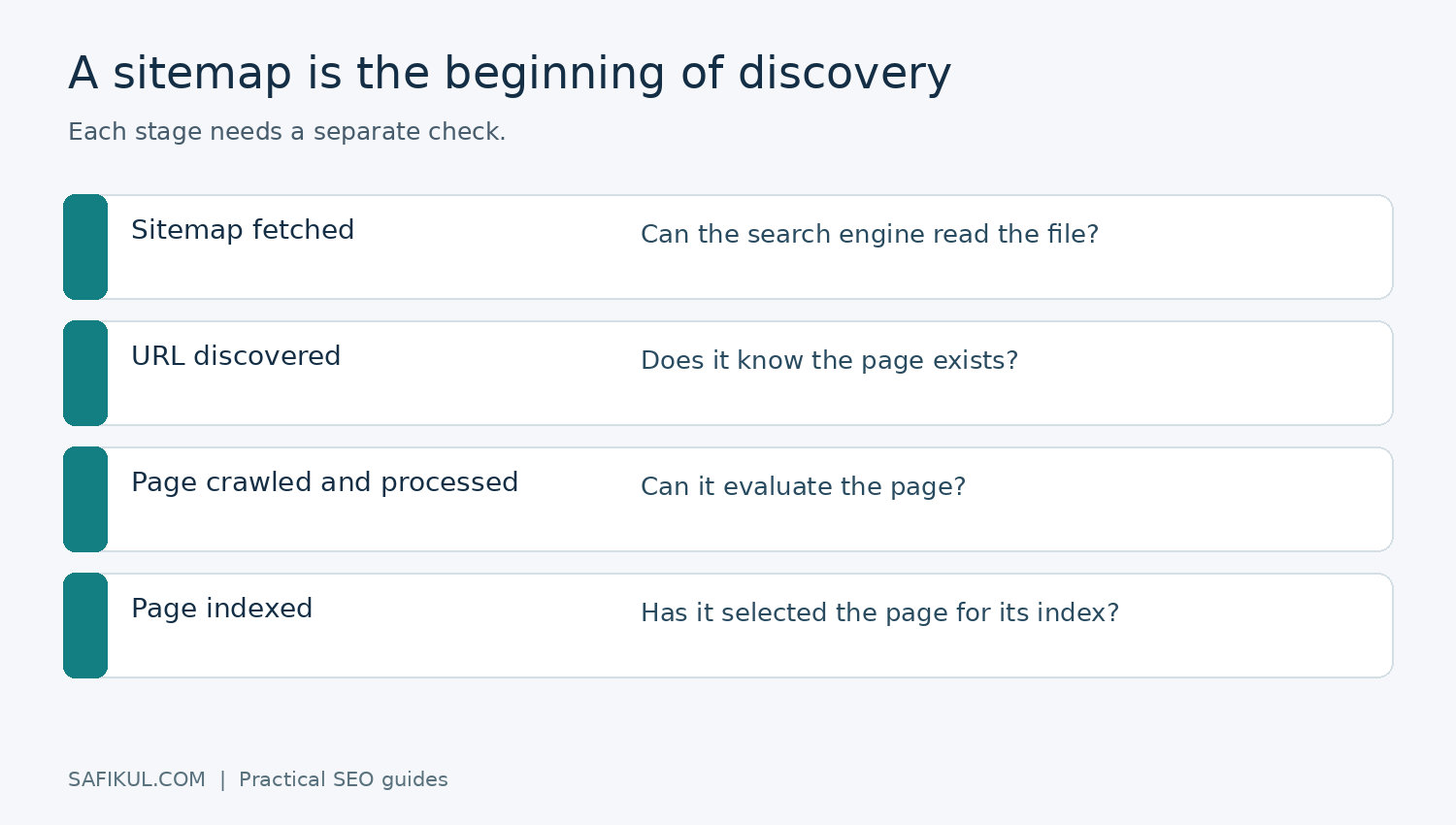
Keep three events separate: a search engine reads the sitemap, discovers a listed URL, and decides whether to index the page. Those events can happen at different times. A green sitemap status does not certify every article.
XML sitemap vs HTML sitemap vs sitemap index
| Type | Main purpose | Typical contents |
|---|---|---|
| XML sitemap | Machine-readable discovery | Page URLs and supported metadata |
| HTML sitemap | Help people navigate | Organized clickable page links |
| Sitemap index | Organize multiple sitemap files | Locations of child sitemaps |
An HTML sitemap can be a useful directory for readers, but it serves a different role from an XML file. A sitemap index is useful when your CMS separates posts, pages and other content into different files.
For example, a store could have one child sitemap for products and another for advice articles. That makes investigation easier: if product URLs are missing, you know which part of the inventory to examine first.
How to find your WordPress sitemap
Check your active SEO plugin before installing another generator. In Yoast SEO, go to Settings → Site features → Technical SEO → XML sitemaps, enable the feature if appropriate and use the View the XML sitemap link. Yoast’s documentation explains that its sitemap index and child sitemaps update as content changes.
Copy the actual address shown by your installation. Do not assume that every website uses /sitemap.xml. The generator may use a different path, and an index file may link to several child files.
I would check three things immediately: does the file load while logged out, does it contain your live domain rather than a staging address, and can you find a recently published article in the appropriate child sitemap?
If you already have a working generator, investigate its settings before adding another. Multiple files are not automatically wrong, but conflicting generators make ownership and troubleshooting less clear. Record which plugin or system is responsible.
What should you include in an XML sitemap?
My preferred working list contains the canonical, public pages intended for search: useful service pages, original articles, appropriate category pages and active products. Check the actual page before approving it for the list.
| URL situation | Recommended inventory action |
|---|---|
| Useful public page at its preferred URL | Include if intended for indexing |
| Old URL permanently moved elsewhere | List the appropriate final destination |
| Tracking-parameter copy of an article | Prefer the clean representative address |
| Private account or checkout confirmation | Exclude and apply proper access/indexing controls |
| Deleted page with no replacement | Remove the obsolete entry |
Do not assume all category pages are poor quality or every product variant is a duplicate. Decide what each page offers a visitor. A well-organized category can be a valuable destination; an empty archive may need a different treatment.
For URL-selection decisions, read my canonical tags guide. For routes people can follow through the website, use the internal linking guide. A sitemap should complement useful navigation.
A simple XML sitemap example
<?xml version="1.0" encoding="UTF-8"?>
<urlset xmlns="http://www.sitemaps.org/schemas/sitemap/0.9">
  <url>
    <loc>https://example.com/services/</loc>
    <lastmod>2026-10-20</lastmod>
  </url>
</urlset>
This is an illustrative file, not something to paste unchanged into your site. Replace the example address and use a genuine modification date. For a WordPress site that publishes frequently, an automatic generator is generally easier to maintain than a hand-edited file.
Google’s build-and-submit documentation specifies absolute URLs and a limit of 50,000 URLs or 50 MB uncompressed per sitemap. Split larger inventories into multiple files. Google ignores priority and changefreq; keep lastmod tied to significant changes rather than updating every entry daily.
A useful publishing check is to compare the article’s actual change with the generated date. Correcting a major explanation is different from a site-wide footer refresh. If your generator is producing misleading dates, investigate that behaviour instead of manually editing thousands of entries.
How to submit a sitemap to Google Search Console
- Open the Search Console property for the correct website and protocol.
- Open the Sitemaps report.
- Enter the tested sitemap or sitemap-index address in Add a new sitemap.
- Submit it, then review the reported status and last-read information.
- Inspect a few important listed pages separately to check their indexing status.
The official Sitemaps report instructions explain the permission requirements and error states. “Success” means Google fetched and read the file without errors; it does not mean every listed page is indexed. The report also does not list every sitemap Google may have discovered elsewhere.
Submitting the index is usually convenient when the generator maintains several child files. Keep the file accessible on your own site; Search Console receives its location rather than a copy uploaded from your computer.
If you need help choosing the property or inspecting URLs, use my Google Search Console tutorial.
How to troubleshoot XML sitemap problems
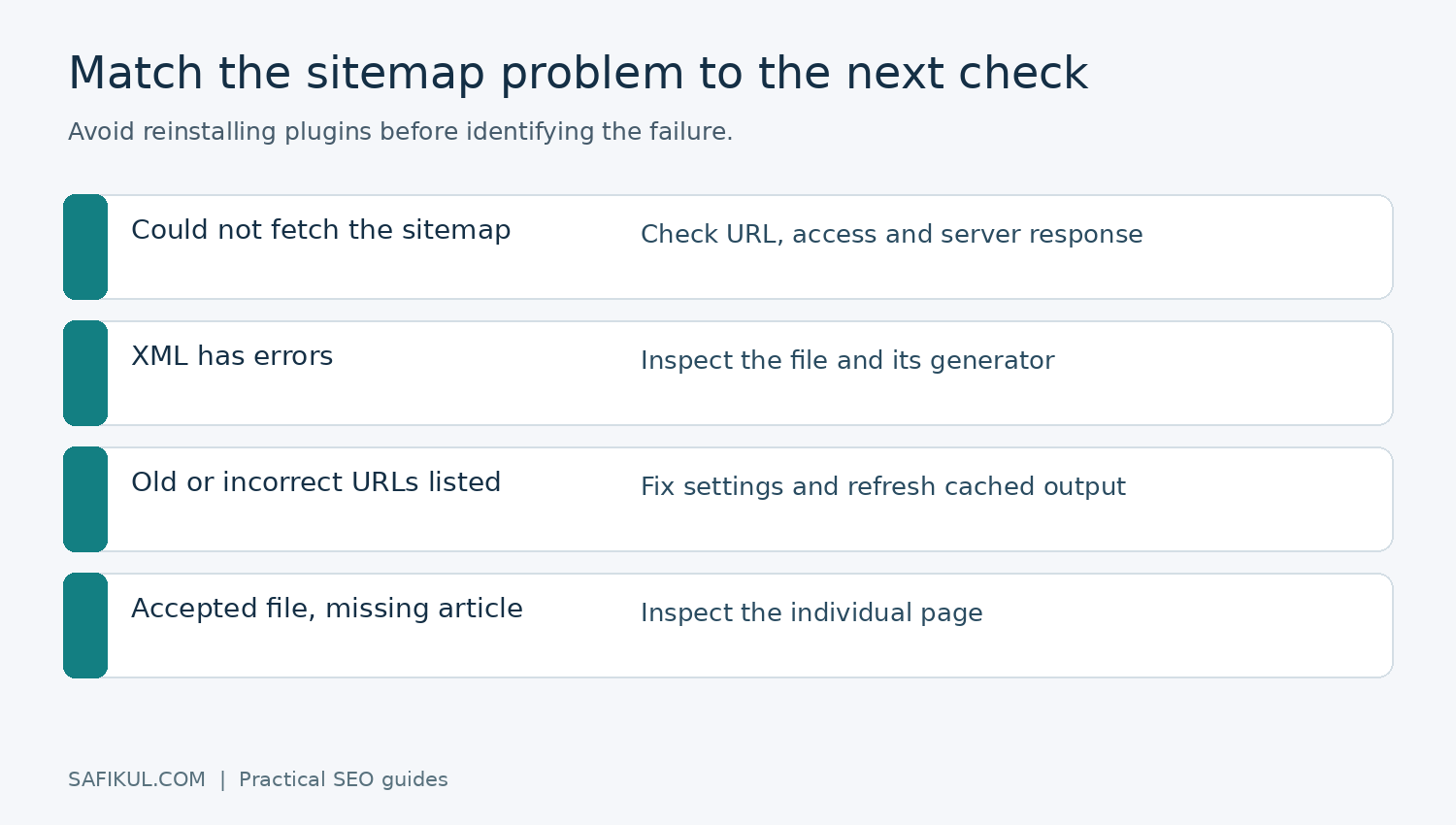
The report says Google could not fetch the file
Test the exact submitted URL while logged out. Does it load the XML, redirect elsewhere, show a login screen or return an error page? Check the final address rather than assuming a browser successfully following a redirect means the submission is correct.
Next, ask your developer or host to inspect server responses and security rules. A firewall challenge can allow your browser through while interfering with crawlers. Record the response, test time and affected sitemap before making a change.
The file loads but contains invalid or obsolete URLs
Find which system generates those entries. Look at content visibility settings, old domain settings, cached XML and plugin conflicts. Correct the generator, then recheck the output. Editing a generated file directly may only work until the next refresh overwrites it.
The file is accepted but an article is missing from Google
Move from sitemap diagnosis to page diagnosis. Inspect the actual article, its robots directives, canonical and useful content. Use URL Inspection to distinguish stored indexing information from the live page test.
For a hypothetical example, imagine a sitemap lists 50 articles and Google indexes 40. That is not enough evidence to delete the remaining ten or reinstall the sitemap plugin. Two could be intentional duplicates, three could be new, and five could need investigation. Group URLs by the reported reason before deciding what to fix.
The sitemap itself has a noindex header
That can be intentional. Yoast documents a noindex response header on its XML sitemaps because the file does not need to appear as a search result to be read. Do not confuse a directive on the inventory file with a directive on the articles inside it.
Will an XML sitemap improve AI search visibility?
A reliable discovery process supports your wider search strategy, but a sitemap cannot force an AI answer to cite you. Google’s AI-feature guidance points website owners toward normal SEO foundations, accessible text and useful content. It does not require a special AI sitemap.
For this reason, I would spend the next hour improving an unclear article or linking an isolated service page before experimenting with invented sitemap attributes. Build on the SEO best-practices checklist and measure whether relevant visitors take useful actions.
A monthly sitemap maintenance routine
- Open the sitemap index and a sample of child files.
- Check newly published and recently removed pages.
- Confirm the preferred domain and URL format.
- Look for obsolete entries, redirects and accidental exclusions.
- Review Search Console fetch status and sample page indexing.
- Record issues, owners and verification dates.
Repeat these checks after a migration, a major plugin change or a URL restructure. Keep a small change log so a later problem can be connected to a real change rather than guessed at.
Frequently asked questions
Does every website need an XML sitemap?
A small, well-linked site may be discoverable without one. A maintained sitemap can still be useful, especially as the site grows, but it does not replace navigation or content quality.
Should I resubmit it every time I publish?
Usually an automatically updated sitemap can remain at the same address. Review it after significant changes or a fetch failure; repeated submissions do not guarantee faster indexing.
Does removing a URL from the sitemap remove it from Google?
No. Google may know the URL through other sources. Use the appropriate page-level indexing or removal approach for your goal, and use access controls for private information.
Why is the number of discovered pages different from indexed pages?
Discovery and indexing are different stages. Inspect representative URLs and group their reasons before changing the sitemap. A difference in totals alone does not identify the cause.