

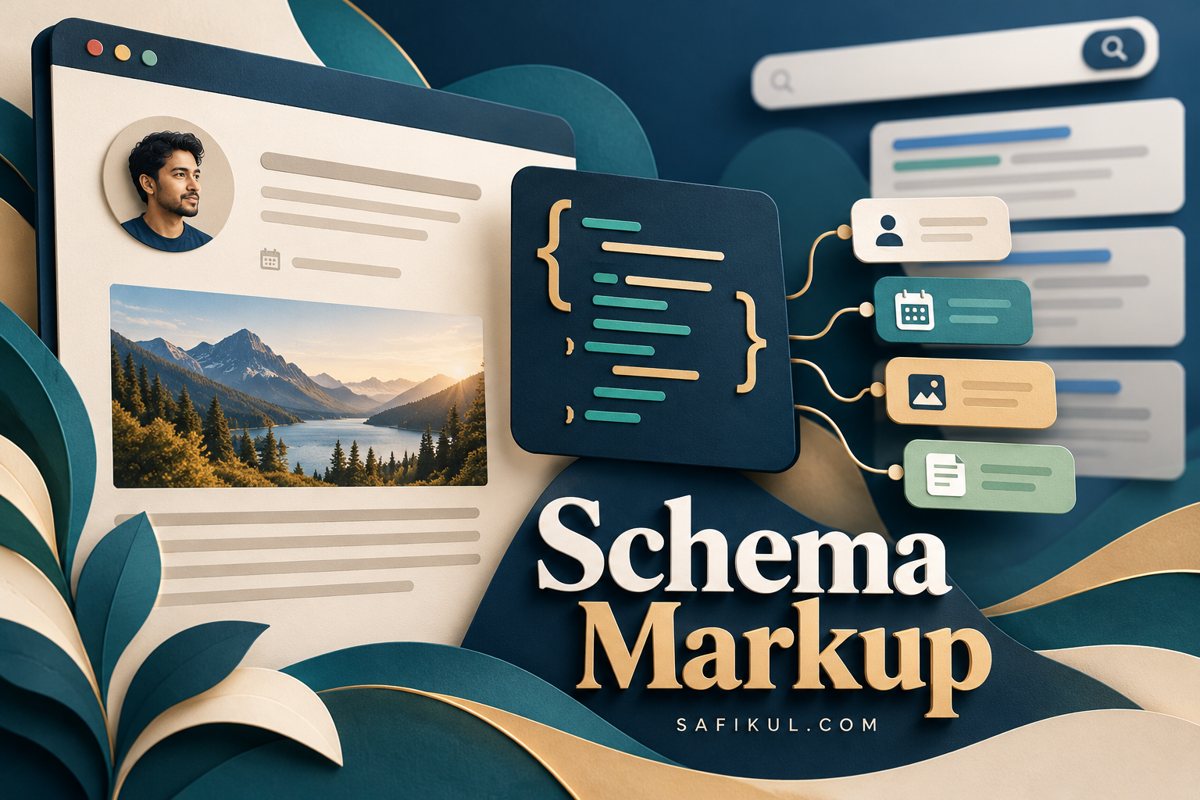
Schema markup describes the people, products, articles and other things on a webpage using a shared vocabulary. It can help Google understand the content and make qualifying pages eligible for supported search features. It does not guarantee rich results, higher rankings or inclusion in AI answers.
For a small business website, I recommend starting with one important page type and getting its facts right. A blog needs an accurate author and publication details. A product page needs dependable product information. Adding every schema type a plugin offers creates more information to maintain without necessarily helping readers or search engines.
This guide explains schema markup for beginners, how to add structured data in WordPress, and how to use a schema validator without confusing a passing test with a promised search result.
Schema markup and JSON-LD explained
Schema.org is the vocabulary: it defines types and properties. JSON-LD is a format for expressing those facts in code. Structured data is the broader idea of organizing information so software can interpret it.
Google’s structured-data introduction explains how explicit information helps it interpret pages. Google supports JSON-LD, Microdata and RDFa, and generally recommends JSON-LD when practical.
Imagine an article with a title, author name, publication date and photograph. Visitors can read those elements on the page. Its structured data should describe the same article and the same facts. It should not introduce a different author, invented review score or misleading update date.
Which schema types should a small website consider
Choose a type that describes what the page actually contains. These are starting points for an implementation plan, not a requirement to add every type to every URL.
- BlogPosting or Article: useful candidates for editorial articles and tutorials.
- Product: relevant to individual product pages with accurate product information.
- LocalBusiness: appropriate when the page represents an actual local business or location.
- Organization: describes the organization and its identity.
- BreadcrumbList: describes a page’s place in a real site hierarchy.
Check the current Google structured-data gallery before planning around a particular search appearance. A type can exist in Schema.org without having its own Google rich-result feature.
For a service business, I would first review the organization details and the actual service pages. I would not mark a general service overview as a product solely to try to obtain prices or review stars in search.
An important update about FAQ schema
Google’s documentation changelog says FAQ rich results stopped appearing in Google Search from May 7, 2026; the documentation was subsequently removed. Older instructions promising FAQ dropdowns should therefore not drive your implementation.
A useful FAQ section still helps readers. Write it because it answers real questions, then evaluate any markup on its own merits. Do not add repetitive questions to every page just to satisfy an outdated plugin checklist.
How to add schema markup in WordPress
1 Check what the website already outputs
Before installing another plugin, inspect a published page with a validator. Record the entities and properties that already appear. Your theme, SEO plugin and ecommerce plugin may each contribute information.
The goal is to identify ownership. Who supplies the article data? Where does the organization name come from? Which component controls the product price? Multiple related entities can be legitimate; conflicting descriptions of the same entity need investigation.
2 Choose one page and write down the facts
For an article, prepare its visible headline, real author, publication time, representative image and author-profile URL. Google’s Article documentation explains the supported Article, NewsArticle and BlogPosting types and their properties.
Use an actual update date when the content changes. If you revise a spelling mistake, do not invent a new publication history. Make the visible byline useful enough that a reader can understand who wrote the piece.
3 Configure the existing tool or template
If your current SEO plugin generates the appropriate markup, configure its settings and page fields first. Menu names vary by plugin and version. Inspect the resulting output after saving rather than assuming that selecting a label produced everything you intended.
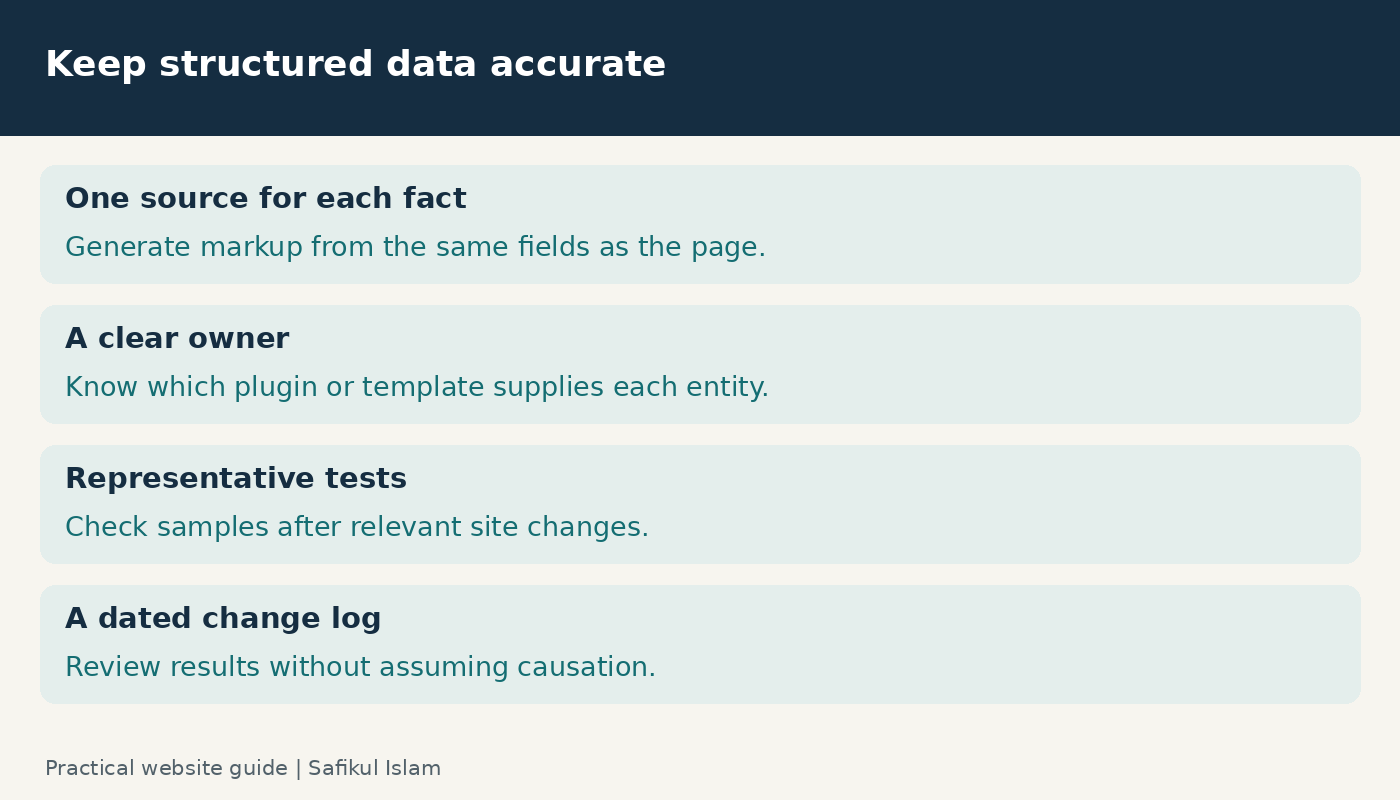
For a custom implementation, ask your developer to generate values from the same content fields that supply the visible page. Manually maintaining separate copies of a title, price or author name creates unnecessary opportunities for drift.
4 Use a small example to understand the structure
The following is an illustrative JSON-LD fragment for a fictional article. Replace every example value and check the relevant Google documentation before using it. It demonstrates the structure rather than a complete production template.
{
  "@context": "https://schema.org",
  "@type": "BlogPosting",
  "headline": "A Beginner Guide to Home Office Lighting",
  "author": {
    "@type": "Person",
    "name": "Asha Roy",
    "url": "https://example.com/authors/asha-roy/"
  },
  "datePublished": "2026-10-27T09:00:00+05:30",
  "image": "https://example.com/images/home-office-lighting.jpg"
}
A developer would place appropriate JSON-LD inside an application/ld+json script element. If your plugin already generates this entity correctly, do not paste a second version into the article body. Keep the illustrative code separate from the live markup describing your real page.
How to use a schema validator
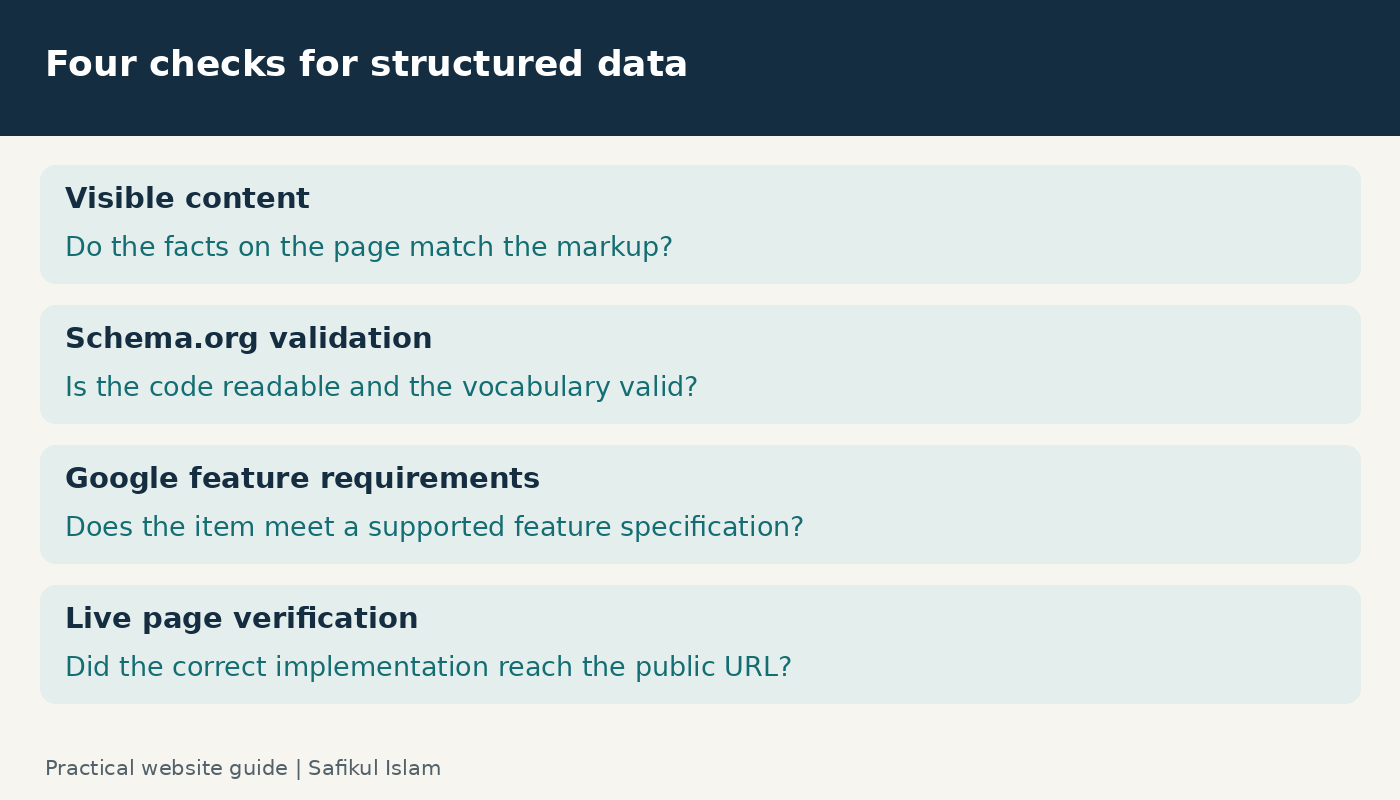
I use three questions to organize the review: can software read the data, does it qualify for a relevant Google feature, and does the public page still contain the intended implementation?
Check the vocabulary and syntax
Open the Schema.org Markup Validator, test the URL or code and inspect the detected items. Investigate syntax errors, unexpected types and incorrect values. Save the result alongside the tested URL so the team knows which version was checked.
Check Google feature eligibility
Use Google’s Rich Results Test for supported Google features. Its help documentation explains URL and code testing, detected items, errors and suggestions. A valid Schema.org item and an eligible Google rich-result item are different checks.
Read the specific error instead of chasing a generic score. An inaccessible page needs a different fix from an invalid property. After deployment, test the public URL, not only the code you originally planned to publish.
Check the content against the code
Google’s general structured-data policies require an accurate representation of the page. Important information should match the visible content, and relevant images must be accessible. Technical validation does not establish that every claim is true.
For a fictional workshop listing, suppose the page says Saturday but the data says Sunday. The code could be syntactically valid while misleading a customer. Resolve the underlying event information before deciding which version to keep.
Common schema markup problems and fixes
No items appear in the test
Check whether the tested URL is the correct public page. Then inspect whether the publishing system retained the intended markup. A setting can be saved while the page template or cache still serves a different response. Test one known page after each change.
Two components describe the same thing differently
Identify which component should own that information and fix the conflict at its source. For example, if a theme and plugin disagree about the author, editing one article manually will not necessarily solve the next article. Record a representative page from each affected template and retest those templates.
The test passes but no rich result appears
A passing Rich Results Test indicates that the detected supported items have no critical errors in that test; it does not guarantee display or establish that every policy requirement is met. Check access, relevant policy requirements and the actual supported feature. Keep a record of the implementation, then monitor rather than repeatedly changing working markup to force a visual result.
A price or date becomes stale
Treat this as a publishing-system problem. Connect the markup to the authoritative field and review caching. For a shop, include price and availability checks in the same workflow used to test a purchase. My SEO best practices guide provides a broader maintenance checklist.
Does schema markup help AI search visibility
Google says there is no special Schema.org markup required for AI Overviews or AI Mode. Accurate structured data belongs within normal SEO work; it should not be sold as a guaranteed way into AI answers.
I recommend making your claims easy to understand in the visible article: define terms, answer the main question early and link to evidence. Use my Google ranking factors guide to separate established guidance from assumptions. Schema cannot compensate for an unclear or unsupported answer.
A practical schema maintenance plan
Start with one article or product template. Record its current output, fix a concrete issue, and retest a small sample of pages using that template. After a theme or SEO-plugin update, repeat the sample checks. Assign an owner so errors do not remain unnoticed between redesigns.
Measure outcomes with appropriate Search Console reports and business conversions. Annotate the deployment date and avoid crediting every traffic change to schema when other content or search changes occurred at the same time.
Schema markup questions
Can I add schema without a paid plugin
Yes. Depending on your existing platform, useful structured data may already be generated, or a developer can maintain it in a template. Choose a method your team can keep accurate.
Should every page use the same schema type
No. Choose types that describe the actual content. An article, a business profile and a product page serve different purposes.
Can AI write my JSON-LD
It can help draft code, but someone must check the facts, syntax, supported properties and live output. Never let it invent reviews, ratings, credentials or business details.
What should a beginner do today
Test one important page, compare its output with the visible content and fix one verified issue. That gives you a repeatable process for the rest of the website.