

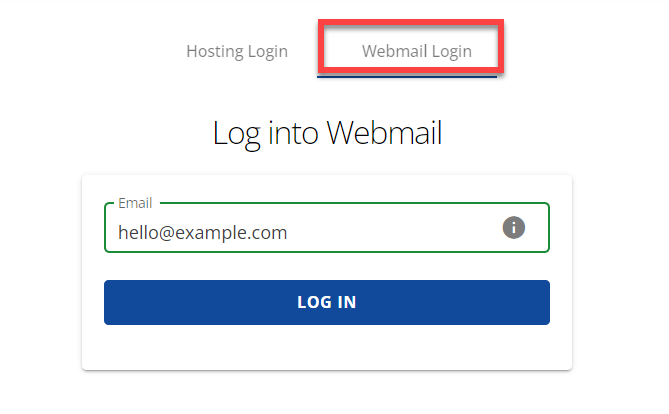
Quick answer: To use Bluehost webmail, sign in to your Bluehost account, open the email section for your domain, and launch webmail for the address you created. You sign in with the full email address and that mailbox’s own password, not your Bluehost account password. Menu names can change, so Bluehost’s own webmail and Roundcube help page is the final reference.
Last reviewed October 21, 2026. I have not tested every Bluehost plan, so confirm details in your own dashboard.
Before you start
- You need a Bluehost hosting plan that includes email, and an email account already created for your domain (for example
info@yourdomain.com). - Know the full email address and its password. The mailbox password can differ from your Bluehost account login.
How to log in to Bluehost webmail
- Go to the Bluehost login page and sign in to your account.
- Open your hosting or email area for the domain.
- Choose the option to open webmail (often shown as Webmail or Email & Office) for the mailbox you want.
- If prompted, choose the webmail client (Roundcube is the one Bluehost documents) and open your inbox.
Bluehost notes that after signing in you may land straight in your inbox, or you may need to click Open first.
Common login problems
| Problem | What to try |
|---|---|
| Password rejected | Use the full email address as the username. Reset the mailbox password from your account’s email settings. |
| Using the wrong password | Your Bluehost account password and your mailbox password are separate. |
| Mailbox does not exist | Create the email account first, then log in. |
| Inbox is full | Delete old messages or increase the quota if your plan allows. |
| Domain pointing elsewhere | If your domain’s mail records point to another provider, webmail on Bluehost will not receive mail. Check your DNS records. |
Using a desktop or phone email app instead
You can also connect Outlook, Apple Mail or a phone app using your host’s mail server settings. Use the exact incoming and outgoing server names, ports and security settings shown in your Bluehost email settings rather than a generic guide, because they vary by account.
Frequently asked questions
Is webmail the same as my Bluehost account login?
No. The account login manages hosting and billing. Webmail opens one mailbox and uses that mailbox’s credentials.
I forgot my email password. What now?
Sign in to your Bluehost account, open the email settings for the domain and set a new password for that mailbox.
Can I use Gmail to read my Bluehost mail?
Gmail can connect to other mailboxes using their server settings. Follow Gmail’s and Bluehost’s current instructions, and keep your passwords private.
Source: Bluehost Help, Roundcube. Running a business site? See my guide to choosing a website builder.
Pingback: How to Export Bookmarks from Chrome | Easy Backup Guide