

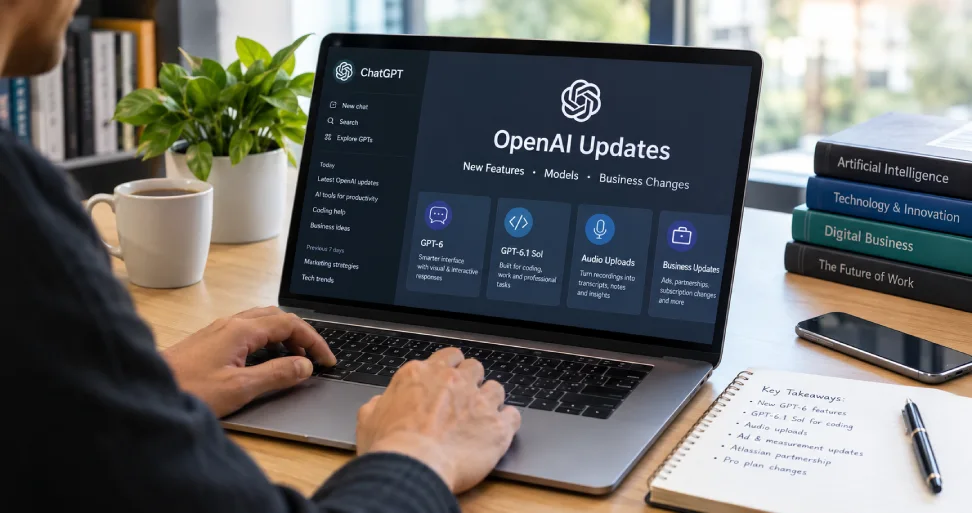
The latest OpenAI updates include GPT-6 with Intelligent UI in ChatGPT, GPT-6.1 Sol for professional work and coding, audio uploads, and a beta that suggests follow-up messages in Codex. Business developments include expanded advertising measurement, a planned visual-ad test, an Atlassian partnership and changes to Pro subscription allowances.
For readers following OpenAI latest news, the important question is what these announcements change in everyday work. A new model, a new interface and a new subscription tier can arrive close together without being available to the same people.
I have organised this roundup around the announcement date, actual access conditions and practical implications. It covers selected developments from late September through 13 October 2026, with separate reporting on the latest company news. Announced rollouts may still vary by account and workspace.
Latest OpenAI news at a glance
| Date | Update | Status or qualification |
|---|---|---|
| 13 October | Privacy lawsuit and office-security reporting | Reported allegations; separate from product releases |
| 9 October | Codex composer predictions | Beta for eligible adult personal Pro users |
| 7 October | GPT-6 with Intelligent UI | Chat rollout began for paid tiers; Free and Go expansion from 8 October |
| 6 October | Audio uploads | Paid subscriptions and workspaces; access conditions apply |
| 6 October | Expanded Atlassian partnership | Enterprise integration agreement; some deeper integrations remain exploratory |
| 5 October | Visual ads and measurement updates | New US visual-ad test planned for later October |
| 29 September | GPT-6.1 Sol and DevDay releases | Work, coding and collaboration updates with different access rules |
The ChatGPT release notes establish product announcement dates. The linked sources below provide the details for each development. This is a dated roundup, not a live news feed.
GPT-6 brings Intelligent UI to ChatGPT
OpenAI’s 7 October GPT-6 announcement introduces answers that combine text with visuals and interactive elements. ChatGPT can choose a useful format, such as a comparison, diagram or calculator, instead of responding with text alone.
The rollout began in the Chat tab for Plus, Pro, Business and Enterprise, with Free and Go expansion starting the following day. Enterprise access depends on administrator settings. The announcement assigns GPT-6 Sol to those paid tiers and GPT-6 Luna to Free and Go, and explicitly says this release does not change the models powering Work and Codex.
That distinction matters. A headline saying “GPT-6 is here” does not tell you which model or experience your account uses.
My first test would be a small planning task: ask for a comparison of three fictional service packages, with a clear explanation of the assumptions. Check whether the interface makes the decision easier and whether the figures are correct. Attractive presentation should help you inspect the answer.
Faster visible responses are not the same as a finished answer
OpenAI also says ChatGPT can begin answering while it continues reasoning or using tools. That can make the experience feel more responsive, but I would wait for the completed response before acting on a researched conclusion. Later findings may add qualifications that matter.
GPT-6.1 Sol targets coding and professional work
GPT-6.1 Sol is a separate model update from the October Chat interface release. OpenAI describes improvements over GPT-6 Sol in coding, computer use and professional tasks, supported by its own evaluations.
The launch page lists access through ChatGPT Work, Codex and the API, using the API model name gpt-6.1-sol. It says the model is not yet available in Chat. Workspace permissions and rollout details still matter.
The listed standard API rates are $2 per million input tokens, $0.10 per million cached input tokens and $10 per million output tokens. These are API token prices, not a monthly ChatGPT subscription price.
Two cautions. The benchmark results on the launch page are OpenAI’s own evaluations, so I treat them as claims to test rather than settled rankings. And the release notes describe the ChatGPT rollout as starting with Pro users, even though the launch page lists wider plan access for Work and Codex. Check what your own account shows before planning around it.
My recommendation is to compare cost per acceptable result. A cheaper response that requires several corrections may be less economical than a more accurate first attempt.
For example, test the same ten representative document or coding tasks with your existing setup and the new model. Record correctness, review time, latency and total usage. This is a suggested evaluation method, not a claim that I have benchmarked the model myself.
Codex adds optional composer predictions
The 9 October release-note entry introduces a beta that suggests what you might send next in an existing Codex thread.
According to the composer predictions guide, eligibility is limited to adults on personal ChatGPT Pro plans using supported local or SSH threads in the desktop app, with GPT-6 Astra or GPT-6.1 Sol.
Pressing Tab accepts a suggestion into the message box. It does not send the message automatically. During the beta, generating predictions does not consume credits or count toward Codex usage limits; messages you actually send follow normal usage and billing rules.
I see this as a convenience feature. Read the suggested instruction before sending it, particularly if it changes the scope of a coding task. A suggested next step is not necessarily the next step your project needs.
Audio uploads turn recordings into material you can work with
The 6 October update adds another practical route for working with recorded information. You can upload supported audio, request a transcript, ask questions and prepare structured notes.
OpenAI’s audio-upload documentation says the feature is available with paid ChatGPT subscriptions and workspaces, including Enterprise. Free accounts do not have audio uploads at the time checked. Access can vary by model, region, client and workspace settings.
For a business owner, a useful first task is turning an authorised meeting recording into decisions, open questions and proposed next steps. Ask the system to mark unclear statements rather than infer missing commitments.
Review names, deadlines, amounts and speaker attribution against the recording. OpenAI cautions that transcripts may contain errors and that speaker identification can be unreliable. This matters when a summary becomes the basis of a client email or project plan.
Dots and Codex Cloud extend work beyond a single conversation
The September releases also introduced ways to continue work over time. Two features deserve separate explanations.
Dots support ongoing delegated work
Dots are presented as agents that can handle continuing responsibilities. The getting-started guide documents a gradual rollout: Pro access for adults outside the European Economic Area, Switzerland and the UK; Business Premium in supported regions; and administrator-enabled beta access for Enterprise, including Edu and Healthcare.
My advice is to begin with a narrow responsibility and a reviewable output. For example, ask for a digest of approved project updates with links to the source material. Define what the agent can access and which actions need review before asking it to handle wider responsibilities.
If you are deciding whether an ongoing agent suits your business, read my guide on how to build an AI agent. The starting point is a specific task and clear boundaries.
Codex Cloud provides reusable development environments
The Codex Cloud environment guide describes reusable setups containing repositories, dependencies, tools and access settings. Each new task gets an isolated workspace, and work can continue while your computer is asleep.
For development teams, I would test a small maintenance task before assigning a large feature. Verify that the environment can run the project’s existing checks and that reviewers can understand the resulting changes. Successful execution in the cloud is only one part of delivering correct software.
Other recent ChatGPT changes worth knowing
The release notes list more than the headline launches. These are the smaller entries I think a business owner is most likely to meet, all taken from the same notes.
On 29 September, alongside the Pro 500 plan and Codex Cloud, OpenAI listed shared Pages for collaborating on conversations, Space for grouping project work, and editing and scheduling for published Sites. These are separate features with their own eligibility, so check each one in your account instead of assuming they arrived together.
On 1 October, ChatGPT added virtual try-on for clothing and accessories, plus saved products in Favorites and folders. If you sell products online, that is worth watching as another route to product discovery, though the notes do not say how it affects product visibility.
On 2 October, Finances expanded to Free and Go users in the US, letting them connect financial accounts on web, iOS and Android. Anyone considering it should read OpenAI’s own privacy and permission details first.
OpenAI business updates include advertising and enterprise partnerships
The product news points toward a broader commercial strategy: consumer discovery, business integrations and paid access to more intensive workflows. That is my interpretation of the announcements, rather than a financial forecast.
A new ChatGPT visual-ad test is planned
On 5 October, OpenAI announced a visual ad format and expanded measurement. The initial visual-format test is scheduled for later October in the US, with selected advertisers, during image generation for Free and Go users.
The company says these ads will be labelled, separate from the generated image, and will not influence ChatGPT’s answers. The announcement also covers conversion-data integrations, attribution partnerships and early work on incrementality measurement.
This should not be described as a worldwide launch of that new format. Nor should a business assume that eligibility for existing ChatGPT advertising provides access to every new test.
For marketers, I would establish conversion tracking and define an acceptable acquisition cost before testing any new channel. Compare attributed conversions with wider business results rather than assuming every recorded conversion was caused by the ad.
The announcement also quotes early results from advertisers and measurement partners, such as a lower attributed cost per acquisition for one brand. Those are partner-reported figures from a few advertisers, not independent benchmarks, so I would not use them to forecast your own results.
Paid placement and organic AI visibility also need separate plans. My guide to optimising for AI search explains the content and discovery side of that work.
The Atlassian partnership focuses on enterprise context
OpenAI and Atlassian expanded their partnership on 6 October. The announcement connects OpenAI models with Atlassian’s platform and Rovo, using the Teamwork Graph to bring relevant organisational context into AI workflows.
It also describes plugins that connect ChatGPT and Codex with project information, subject to permissions. Deeper Jira integrations for assigning and tracking agent work are described as areas the companies are exploring, not a completed rollout of every proposed capability.
My practical takeaway is to review information quality before adding more integrations. An assistant cannot produce a dependable project assessment if deadlines, decisions and task ownership are inconsistent across the underlying systems.
Pro subscription changes deserve a separate cost review
The current ChatGPT Pro tier guide lists three monthly US-dollar prices: Pro 100 at $100, Pro 200 at $200 and Pro 500 at $500.
Among those plans, Ultrafast is included only with Pro 500. The guide also explains that new Pro 200 subscriptions have a lower included allowance unless eligible for temporary grandfathering. Eligible existing users can retain their previous allowance through 29 October 2026 while their subscription remains active; the monthly Pro 200 price stays $200.
The guide also says Ultrafast uses included usage faster than the standard speed, so a faster tier is not simply a bigger allowance. Check your account notice and checkout details before making a purchase decision. Subscription price, included usage, model access and speed tier are separate considerations.
For a small team, my approach is to identify the actual bottleneck. Are people reaching limits, waiting for difficult tasks, or simply using a poorly defined workflow? An upgrade is worthwhile only when it addresses a real need at a cost the business can justify.
Latest company reporting includes privacy and security allegations
Product announcements are only part of OpenAI news. Two reports published on 13 October require careful wording.
Reuters reported a proposed class action alleging misuse of minors’ information collected through ChatGPT. These are the plaintiffs’ allegations, not a court finding. Reuters said OpenAI had not immediately responded and noted the company’s published controls over training-data use.
AP reported charges against an OpenAI employee accused of placing a recording device in an office conference room. OpenAI said it dismissed the employee and referred the matter to the FBI. The company said it had no indications of inappropriate access to or exfiltration of model weights, source code or customer data at that time. The investigation was ongoing.
I would follow the evidence and subsequent reporting before drawing conclusions. Neither report should be rewritten as a proven legal outcome or a confirmed customer-data breach.
What I would prioritise as a business owner
A useful update should change a decision or improve a workflow. Here is how I would turn this round of announcements into a manageable review.
| Your priority | A sensible first test | What to measure |
|---|---|---|
| Clearer planning and explanations | Try one interactive comparison in Chat | Accuracy and ease of understanding |
| Less meeting administration | Summarise one authorised recording | Corrections and review time |
| Better development support | Test a bounded task in Work or Codex | Working result and reviewer effort |
| Ongoing delegated tasks | Trial a narrow dot responsibility if eligible | Missed instructions and useful output |
| Customer acquisition | Review advertising eligibility and measurement | Qualified outcomes and acquisition cost |
Run a small pilot before changing the whole team’s process. Keep the original inputs and expected result so you can tell whether a new feature genuinely helps.
The biggest mistake would be buying access first and deciding what to do with it later. Choose the task, confirm availability, and then evaluate the result.
My perspective on the latest OpenAI changes
The most useful development is the growing range of ways to complete work: interactive answers, recorded-information processing, coding environments and ongoing agents. Each requires a different evaluation.
I would pick one recurring task, test the relevant feature and measure how much review remains. Follow the announcements, but make adoption decisions around work your business actually needs to finish.
Frequently asked questions
The newest product entry reviewed in the ChatGPT release notes is the 9 October Codex composer-predictions beta. This article also includes company reporting from 13 October and earlier launches that remain relevant to current access and business decisions.
Access differs by feature. The GPT-6 Chat rollout includes Free and Go through Luna, while audio uploads require a paid subscription or workspace. The composer-predictions beta has a narrower personal-Pro eligibility requirement. Check the relevant feature documentation rather than assuming one rule applies to all updates.
No. Its launch documentation describes Work, Codex and API access, while the October Chat announcement identifies Sol and Luna for the everyday Chat experience. A model name in a news headline does not establish access in every product surface.
Not at the time I checked. OpenAI’s 5 October announcement says the visual-ad test starts later in October in the US, for selected advertisers during image generation for Free and Go users. Confirm the current status before treating it as launched.
OpenAI lists $2 per million input tokens, $0.10 per million cached input tokens and $10 per million output tokens for gpt-6.1-sol. That is API pricing and separate from any ChatGPT plan.
Use the OpenAI news page for announcements, the linked release notes for dated product changes, and feature-specific documentation for access conditions. Independent reporting adds scrutiny of the company’s business and conduct. Compare the publication date with the date the reported event happened.
Only after identifying a feature or limit that affects your work. Confirm account eligibility and compare the expected benefit with the full cost. A higher-priced plan is not automatically the best option for occasional use.