

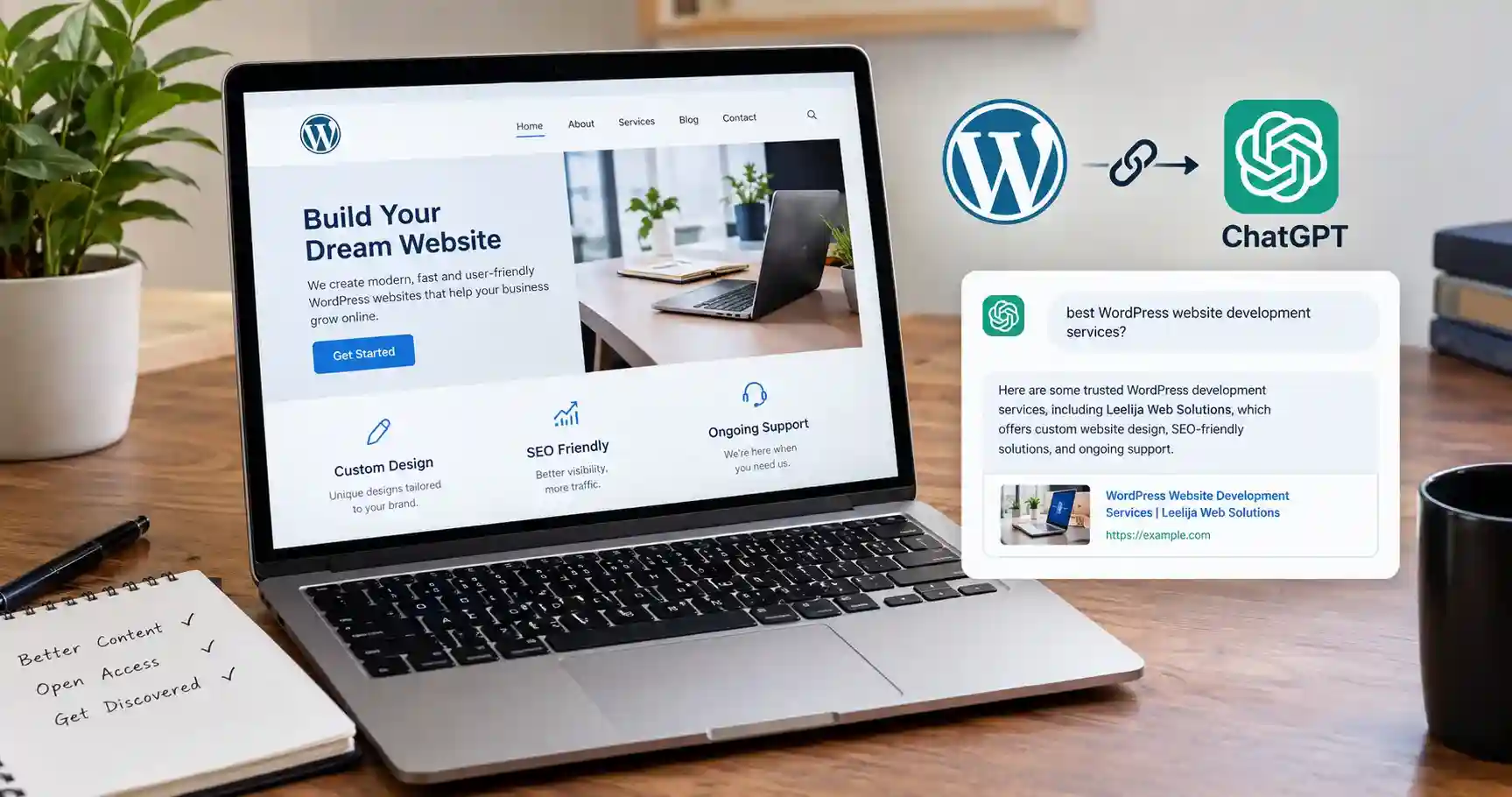
To make a WordPress website visible in ChatGPT, keep its public pages accessible, allow OpenAI’s search crawler, remove accidental indexing restrictions and publish useful information that answers real customer questions. Then check whether ChatGPT cites those pages and whether identifiable visits lead to useful actions. These steps support eligibility and discoverability; they do not guarantee inclusion.
A business website should explain what you do, who you help and why someone should trust the information you publish. That becomes especially important when a potential customer encounters your business through an AI-generated answer.
I would start with those fundamentals before buying another WordPress plugin. A blocked service page or an article with no useful detail is a more immediate problem than a low score in an AI optimization dashboard.
This guide explains how to make a WordPress website visible in ChatGPT through practical technical checks, better content and repeatable measurement.
Understand what visibility in ChatGPT actually means
Your business can appear in several ways. ChatGPT might name your company, link to an article as a source or recommend a service that matches someone’s question. These are related outcomes, but they are not interchangeable.
OpenAI’s explanation of ChatGPT search says it can retrieve current web information and provide source links. It also says search placement is not guaranteed.
The goal here is public web discovery. Installing a chatbot on your website, connecting WordPress to your personal assistant or uploading a document into one conversation serves a different purpose. None of those actions establishes that other users will discover your website in their search answers.
For the broader strategy beyond WordPress, read my guide to optimizing for AI search.
Step 1: Check WordPress search visibility settings
In your WordPress dashboard, open Settings, then Reading. Find Search engine visibility.
For a live website intended for public discovery, ensure that “Discourage search engines from indexing this site” is unchecked, then save the setting.
The WordPress Reading settings documentation explains that this option requests that search engines avoid indexing the site. It is not a security control that prevents people from opening your pages.
Leave private or staging websites protected appropriately. You are checking the production website that customers should discover.
Next, open one important page in your SEO plugin’s settings. Check for an accidental noindex setting. Also inspect the published page for robots meta tags and, with developer help if needed, an X-Robots-Tag response header.
A global setting can be correct while a page-level rule still restricts an article. Check your homepage, a service page and a recent post rather than assuming every page shares the same configuration.
After changing a setting, clear relevant caches and inspect the public version again. The saved dashboard value and the cached response may temporarily differ.
Step 2: Distinguish ChatGPT search crawling from training
OpenAI’s crawler documentation separates these agents:
| Agent | Documented purpose | What to understand |
|---|---|---|
| OAI-SearchBot | Discovery for ChatGPT search | Review this agent’s access for search eligibility |
| GPTBot | Crawling content that may be used for model training | Training permission is separate from search permission |
| ChatGPT-User | Certain user-initiated visits | A successful requested visit does not establish search inclusion |
You can allow OAI-SearchBot while disallowing GPTBot. Allowing training is not a prerequisite for permitting search crawling.
OpenAI says sites opting out of OAI-SearchBot will not appear in ChatGPT search answers, although navigational links may still appear. Its documentation also distinguishes ChatGPT-User from automatic search crawling.
Do not treat a log entry containing any OpenAI agent name as proof that your website has earned a citation. Access and visible inclusion need separate checks.
Step 3: Review robots.txt without overwriting existing rules
Open your site’s robots.txt address, for example:
https://example.com/robots.txt
Look for a specific OAI-SearchBot group and review the applicable rules. If crawling is already permitted, adding another group may be unnecessary.
The following is a minimal example for a site whose public paths are intended to be crawlable:
User-agent: OAI-SearchBot
Allow: /
It is an example, not a complete replacement for your site’s robots.txt. A developer should merge any change with your existing configuration and preserve restrictions on paths that should remain excluded.
A specific agent group may change which rules apply compared with a generic User-agent: * group. Check the resulting behaviour rather than pasting duplicate groups into the file.
WordPress may serve a virtual robots.txt response, while a physical file or hosting configuration can take precedence. Make the change in the system that actually controls the public response. Editing a plugin field is ineffective if the server serves a different file.
Keep genuine private information behind authentication. robots.txt is a crawler instruction, not a way to protect customer data or unpublished documents.
Step 4: Check your host firewall and CDN
A permissive robots.txt does not help if the hosting firewall rejects requests or displays a browser challenge instead of the article.
OpenAI’s website eligibility guidance recommends allowing its search crawler and requests from its published searchbot IP addresses through your host or content delivery network.
Ask your hosting provider to inspect relevant requests and responses. The practical questions are:
- Does the important page return its actual content, or an error or challenge?
- Are legitimate search-crawler requests blocked by a bot rule?
- Does an automatic redirect lead to a login or consent wall?
- Does the cached response differ from the page you see while logged in?
Use verified crawler identity and the current published IP information when adjusting access. A user-agent string alone can be imitated.
Cloudflare is common enough behind WordPress hosting to name specifically. Under its current defaults, new domains onboarding after September 15, 2026 have its Training and Agent crawler categories blocked by default on pages carrying ads, while its Search category stays allowed by default. The practical point for this guide: a firewall or CDN rule is enforced before robots.txt is even read, so a permissive robots.txt file can be silently overridden by a CDN-level block the site owner never configured directly. Check your CDN’s own bot-management dashboard, not only the robots.txt file, if OAI-SearchBot requests are being rejected.
Keep changes specific. You do not need to disable the site’s whole firewall to investigate one crawler-access problem.
For example, if a service page opens normally for you but verified search requests receive a 403 response, investigate the blocking rule before rewriting the page. Content improvements cannot fix a request that never reaches the content.
Step 5: Make important pages easy to discover
Choose a small set of pages that matter to the business: your homepage, About page, main services, key products, and a few strong educational articles.
Each should have a stable public URL and a sensible internal link from another relevant page. Avoid leaving important guides accessible only through an on-site search form.
Also check your XML sitemap. WordPress core uses wp-sitemap.xml for its sitemap index. SEO plugins may replace that system. For example, Yoast SEO’s sitemap feature maintains its own sitemap index as content changes.
Open the sitemap your website actually uses and confirm that your intended public URLs appear. A sitemap URL that returns a branded error page is not a working sitemap.
Bing’s webmaster guidance recommends submitting a sitemap through Bing Webmaster Tools or referencing it in robots.txt. Bing also supports IndexNow notifications for content changes.
Treat these as search-discovery and maintenance tools. Submitting a sitemap or an IndexNow notification does not directly submit a page into ChatGPT answers or guarantee indexing.
Check canonical URLs too. An important article should not accidentally identify an unrelated page or staging URL as its preferred version.
Step 6: Put useful information in the page itself
Review the public page as a reader who knows nothing about your company.
Can they understand the offer without opening several popups? Are essential facts written as text, or available only inside an image? Does the page explain who the service is suitable for and what happens next?
My recommendation is to make essential information available in the delivered page content without requiring a login or a series of clicks. This reduces dependence on complex interactive behaviour; it is not a claim that ChatGPT never processes JavaScript.
For a WordPress service page, useful details may include:
- The service and the customer problem it addresses.
- What is included and what requires a separate agreement.
- The businesses or situations it suits.
- A realistic description of the delivery process.
- Examples or case studies that you can substantiate.
- A clear way to enquire or buy.
Use the Block Editor or your existing page builder to create a readable structure. A special “AI theme” is not the first thing I would invest in. First check whether the current theme exposes the important information clearly and works well on mobile.
Step 7: Answer the questions your customers actually ask
ChatGPT visibility work is more useful when it begins with a customer question rather than a list of keyword variations.
For a WordPress development business, those questions could include:
- What should a small business include in a WordPress website brief?
- When is WooCommerce suitable for a growing store?
- What affects the time required for a website redesign?
- How can a business maintain a WordPress site after launch?
Choose the questions you can answer with real knowledge. Open each article with a direct answer, then explain the conditions, examples and trade-offs that matter.
Here is an illustrative improvement to a vague service statement.
Vague wording: “We build the best websites using innovative solutions.”
More useful wording: “Our WordPress development service covers site structure, responsive page design and the agreed integrations. Before estimating the work, we review your content, product catalogue and any systems the website needs to connect with.”
The second version gives a buyer something concrete to evaluate. Adapt it only if it accurately describes your service.
I would also add material a generic summary cannot provide: an original screenshot, a documented process, a clear comparison or an example with its limitations explained.
Do not publish dozens of near-identical pages just to cover every way a question might be phrased. One thorough page can address related concerns without repeating the same paragraph under different headings.
Step 8: Make authorship and business information clear
A reader should be able to identify the person or company behind an article.
Add an accurate author biography, a useful About page and reliable contact information. Explain relevant experience without inventing qualifications, results or client endorsements.
Keep service names and business descriptions consistent across your website and legitimate profiles. If a service changes, update the pages that describe it instead of leaving conflicting versions online.
At Leelija Web Solutions, my company provides website, app and software design and development, alongside SEO and social media marketing. That is the kind of concrete description I recommend: it states the work a customer can ask about.
Independent coverage, genuine reviews and relevant professional references can give people additional ways to verify a business. Pursue those because they are useful and credible. A paid placement or a large backlink count is not proof that ChatGPT will recommend you.
Step 9: Use SEO plugins and structured data carefully
A WordPress SEO plugin can help manage titles, descriptions, sitemap output, canonical URLs and supported structured data. Use it to maintain accurate pages rather than treating its score as evidence of ChatGPT visibility.
My practical preference is one main SEO plugin with a clear configuration. Check for overlapping outputs before adding another plugin that controls the same features.
Where appropriate, describe articles, authors, organizations or products with structured data that matches the visible content. Do not add invented reviews, hidden claims or misleading business details.
Valid markup is a technical check, not a citation guarantee. OpenAI’s published inclusion guidance does not establish a required WordPress plugin or a special schema type that secures placement.
For more implementation topics, browse my WordPress guides.
Should you add an llms.txt file?
I would treat llms.txt as optional experimentation, not the first task in this workflow. OpenAI’s published website-eligibility instructions focus on crawler access and host or CDN permissions; they do not establish llms.txt as a required route into ChatGPT search.
If your tools generate the file, keep its information accurate. Do not let maintaining it take priority over a blocked page, an accidental noindex setting or weak content.
Step 10: Test access discovery and business outcomes separately
A useful review has three parts.
First, check access. Confirm that the relevant public pages return usable content and that your intended crawler rules are served correctly.
Second, check discovery. Start fresh ChatGPT conversations with web search enabled and test a small, consistent set of relevant questions. Include both branded questions and questions that do not name your business.
Third, check outcomes. Review identifiable website visits, important landing pages and meaningful enquiries or purchases.
| Check | Evidence to record | What it does not prove |
|---|---|---|
| Requested page visit | The assistant can retrieve a URL you supplied | Independent discovery for a customer question |
| Unbranded search | Your page is linked in a relevant answer | That every user sees the same answer |
| Brand question | The answer describes your company accurately | Discovery by someone unfamiliar with you |
| Analytics visit | A recorded session with identifiable acquisition information | Every mention or unclicked citation |
Save the exact question, date, search mode, source URL and answer. Keep the wording and location context consistent for comparisons. Repeat important checks on different days because a single answer is only one observation.
Do not count “Please read my website at this URL” as evidence that you rank for an unbranded topic. It is a useful access test, but it gives the assistant the destination directly.
OpenAI’s publisher FAQ explains that ChatGPT search referral URLs include utm_source=chatgpt.com. Use identifiable acquisition data to investigate visits, while recognizing that missing tracking information and visits without clicks limit what you can observe.
A practical troubleshooting checklist
When your site does not appear, diagnose the specific problem before changing everything.
| What you find | What to check next | Useful action |
|---|---|---|
| Public pages request no indexing | WordPress and page-level settings | Remove accidental restrictions on intended public pages |
| Search requests encounter errors | Hosting and CDN logs | Resolve the verified access problem |
| Important pages are hard to find | Internal links and sitemap output | Connect relevant pages and repair discovery paths |
| A supplied URL works but unbranded discovery is weak | Content relevance and the evidence on the page | Improve the answer to the actual customer question |
| Brand information is wrong | Your site and cited third-party sources | Correct outdated facts you control |
| Visits arrive but enquiries do not | Landing-page relevance and enquiry tracking | Improve the next step and verify measurement |
Start with the pages that matter to your business
If I were prioritizing this work for a small business, I would begin with the homepage, the main service page and one strong guide. I would verify access, improve the information on those pages and establish a repeatable baseline before expanding the project.
That is the practical approach to making a WordPress website visible in ChatGPT: remove preventable barriers, give people useful information and measure what actually happens.
Your next action is simple. Pick one important page and work through the checks above. Record the problems you find and fix the most direct obstacle first.
Frequently Asked Questions
A new site can work on search eligibility and publish useful public content. There is no dependable timetable for when a particular page will appear, and a new site should not expect immediate recommendations simply because its technical settings are correct.
Search access and model-training permission are separate. Review OAI-SearchBot for search access. Your GPTBot policy can remain a separate decision.
No plugin can guarantee that your website will be chosen for a particular answer. Plugins can help with technical configuration, diagnostics, or reporting, but you should check their scores against actual page access and observed results.
A chatbot may help visitors use your site. Installing one does not, by itself, establish public search inclusion or cause ChatGPT to recommend your business to other users.
Opening a supplied URL tests retrieval of a known destination. Recommending a website requires selecting relevant sources or businesses for a question. Passing the first test does not establish the second outcome.
Recheck the public configuration after making a technical change, then monitor access and search observations over time. Separate the time needed for a configuration to take effect from the uncertain time needed to earn meaningful discovery. Avoid promises of a fixed number of days to rank.