

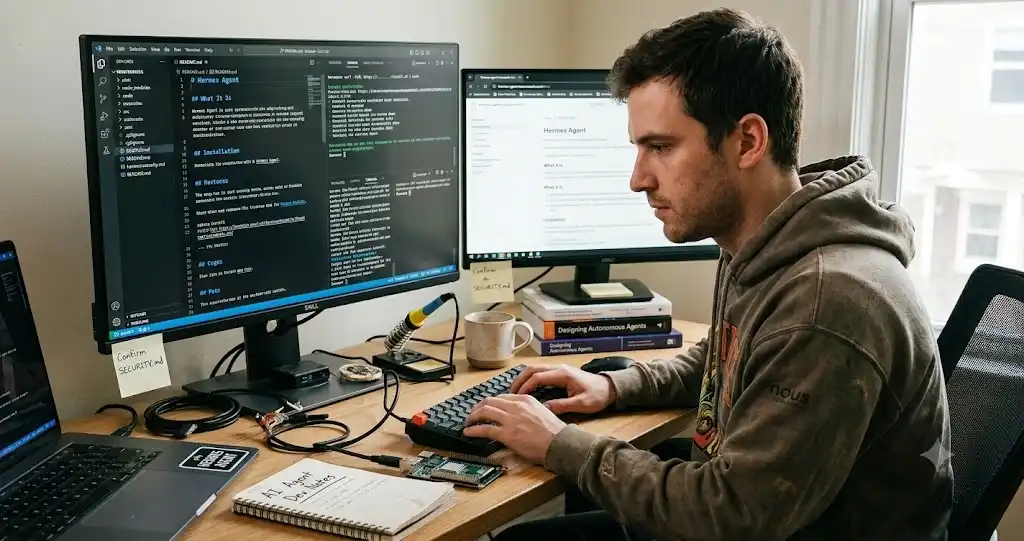
The Hermes Agent GitHub repository is NousResearch/hermes-agent: the official, MIT-licensed home of Hermes Agent, an open-source AI agent built by Nous Research. You install it with a one-line script, pick a model provider, and chat with it in your terminal or through messaging apps such as Telegram, Discord and Slack.
If you searched for “hermes-agent github” or “github hermes agent”, you probably want three answers: is this the right repository, what does the project actually do, and is it safe to run on my machine? I read the repository’s own README, license and security policy to answer those, and I will point out where I rely on other sources instead.
I write about AI tools for people who want practical results, not hype. If you are new to this area, my AI guides give useful background before you try an agent that can run commands.
A quick note on scope: I did not install and run Hermes Agent for this article. Everything below comes from the project’s own files and documentation as they stood on 12 October 2026, and the project changes quickly, so confirm details in the repository before you rely on them.
What is the Hermes Agent GitHub repository?
The repository at github.com/NousResearch/hermes-agent is the source code for Hermes Agent. Its README describes it as “the self-improving AI agent built by Nous Research,” and the repository’s About line reads “The agent that grows with you.” The project’s website and documentation live at hermes-agent.nousresearch.com.
Nous Research is the organization behind it. Its website and the GitHub organization named NousResearch are the places to verify that a link is official.
Is this the same as the Hermes models?
Not exactly, and this is a common source of confusion. Nous Research is also known for its Hermes family of language models. Hermes Agent is a separate piece of software: an agent that uses a model of your choice to run tasks with tools. Some third-party pages blend the two, so check which one a page is describing before you trust its numbers.
How to tell you are on the official repository
- The owner is NousResearch and the repository name is hermes-agent.
- The README links to the official docs and site at hermes-agent.nousresearch.com.
- The license file is MIT, copyright Nous Research.
- Be careful with forks, similarly named repositories and “download” pages. Install commands should come from the official README or docs, not from a random mirror.
What Hermes Agent does
According to the README, Hermes Agent is built around an agent loop with tools, memory and skills. Here is what the project says it offers:
| Capability | What the README says |
|---|---|
| Terminal interface | A full text interface with multiline editing, slash-command autocomplete, conversation history, interrupt-and-redirect and streaming tool output |
| Messaging gateway | Talk to the agent through Telegram, Discord, Slack, WhatsApp, Signal and email from one gateway process |
| Learning loop | Agent-curated memory, skills created after complex tasks and improved during use, searchable past sessions, and user modeling |
| Scheduled tasks | A built-in cron scheduler, described in natural language, with delivery to platforms |
| Subagents | Isolated subagents for parallel work, and scripts that call tools through RPC |
| Execution backends | Seven backends: local, Docker, SSH, Singularity, Modal, Daytona and Vercel Sandbox |
| Model choice | Use Nous Portal, OpenRouter, OpenAI, your own endpoint and others, and switch with the hermes model command |
| Skills and MCP | Compatible with the agentskills.io skill standard, and connects to MCP servers |
Notice the wording “says.” These are the project’s own claims. For instance, the README calls Hermes “the only agent with a built-in learning loop,” which is a marketing statement I cannot verify and would not repeat as fact. Treat any claim that the agent “gets smarter” as something to test on your own tasks, not something to assume.
The agentskills.io standard it references is an open format for reusable skills, which are instruction files an agent can load when a task needs them.
How to install Hermes Agent from GitHub
The README lists the install commands, and the official quickstart covers the same path. Check them there in case they have changed.
Linux, macOS and WSL2
Run the installer from the README in a terminal:
curl -fsSL https://hermes-agent.nousresearch.com/install.sh | bash
Windows (PowerShell)
The README says native Windows is supported and gives this PowerShell command:
iex (irm https://hermes-agent.nousresearch.com/install.ps1)
If you prefer, the Linux command also works inside WSL2. The README also mentions an Android route through Termux with a separate guide, and a Hermes Desktop installer on the project website.
A caution about piping scripts into your shell
Commands that download a script and run it immediately are convenient, but they run whatever the server sends. A careful habit is to open the script URL in a browser first and read it, or to install inside a virtual machine or container while you evaluate the tool. Treat this as sensible hygiene for any such installer, not as a criticism of this project.
After installation
- Reload your shell, for example with source ~/.bashrc or source ~/.zshrc.
- Run hermes to start the interactive terminal interface.
- Run hermes model to choose a provider and model.
- Run hermes setup if you want the guided setup, and hermes doctor if something looks wrong.
The README’s Getting Started list also shows hermes tools to control which tools are enabled, hermes gateway for the messaging gateway, hermes update to upgrade, and hermes config set to change settings.
Checkpoint: Typing hermes opens a chat, you have selected a model, and you know how to reduce its tools.
Models, keys and Nous Portal
Hermes works with the provider you choose, so you pay that provider for model usage. The README also describes Nous Portal, a subscription that bundles many models and tool services behind one login, started with hermes setup –portal. That is optional. If you already have an API key from another provider, you can use it.
The quickstart adds a practical requirement: it says Hermes needs a model with a large context window (at least 64,000 tokens), which matters if you plan to run a small local model.
Is Hermes Agent safe to run?
This is the question I would ask first, and the repository answers it unusually directly. An agent that can run shell commands, read files and act on messages is powerful, and that power is also the risk.
The project’s SECURITY.md says Hermes is a single-tenant personal agent and states that “the only security boundary against an adversarial LLM is the operating system.” In plain English: tools inside the agent, such as approval prompts or filters, are helpful safeguards, but they are not a wall. If you want real containment, you need isolation from the operating system.
The policy describes two kinds of isolation:
- Terminal-backend isolation: shell commands run inside a container, cloud sandbox or remote host. This helps with destructive commands and file writes, but it does not cover everything the agent does in its own process, such as code execution, MCP processes, plugins and skills.
- Whole-process wrapping: the entire agent runs inside a sandbox, such as Hermes’s own Docker image or NVIDIA OpenShell. The policy calls this the supported posture when the agent reads content you do not control, such as the open web, inbound email or multi-user channels.
So here is the practical advice I would follow, based on that policy:
- Start in a Docker container or a throwaway virtual machine, not on your main computer.
- Turn on only the tools you need with hermes tools.
- Do not connect it to your primary email, banking or work accounts while you are learning.
- Use a dedicated messaging account or bot if you connect Telegram or Discord.
- Review any third-party skill before installing it, because skills and plugins load into the agent.
- Keep API keys scoped and set spending limits with your model provider.
To report a vulnerability, the policy says to use GitHub Security Advisories or the security email, not public issues. Ordinary bugs go in the issue tracker.
License and cost
The repository’s LICENSE file is the MIT License, with copyright held by Nous Research. MIT is permissive: you can use, modify and distribute the software, provided you keep the license notice. It comes with no warranty.
The software is free, but running it is not necessarily free. Your costs are the model provider’s usage fees (or a Nous Portal subscription if you use it), any server or sandbox you rent, and your time to maintain it. I would set a spending cap before leaving an agent to work unattended.
How popular is the repository?
When I checked the repository page on 12 October 2026, GitHub showed roughly 250,000 stars and about 53,000 forks. Third-party pages quote slightly different numbers because they were captured on different dates. Stars measure interest, not quality or safety, and they change daily, so treat any figure in an article as a snapshot.
The releases page showed version v0.19.0 (tag v2026.7.20) as the latest listed release when I checked, with earlier patch releases in July 2026. Check the page for the current version before you rely on a feature.
Migrating from OpenClaw
The README includes a section for people coming from OpenClaw. The setup wizard can detect an existing OpenClaw folder and offer to migrate, and you can run hermes claw migrate later. The README lists what can be imported, including persona and memory files, skills, command allowlist patterns, messaging settings and some API keys, and it supports a dry run to preview changes. Use the dry run first, and use the option that skips secrets if you do not want keys copied.
Hermes Agent GitHub checklist
- Confirm the repository owner is NousResearch and the README links to the official docs.
- Read the install script or install inside a VM or container first.
- Pick a provider and set a spending limit.
- Disable tools you do not need.
- Run in Docker or another sandbox, especially before connecting messaging apps.
- Keep personal, banking and work credentials out of the agent environment while testing.
- Read SECURITY.md before using the agent with untrusted content.
- Check the releases page and docs for changes before upgrading.
If you want help evaluating AI agents or automation for a business, Leelija Web Solutions, the company I lead, provides web development, SEO and digital marketing services, and can help you scope a safe and practical setup.
Frequently asked questions
It is NousResearch/hermes-agent, the official source repository for Hermes Agent, an open-source AI agent from Nous Research released under the MIT license.
Yes. The repository’s LICENSE file is the MIT License, copyright Nous Research.
On Linux, macOS or WSL2 use the one-line installer shown in the README. On native Windows use the PowerShell command in the README. Then run hermes, choose a model with hermes model, and check hermes doctor if anything fails.
The README says native Windows is supported through a PowerShell installer, and that WSL2 also works. Windows antivirus tools may flag the bundled uv.exe, and the README explains how to verify it.
No. Nous Research makes both, but the agent is separate software that works with a model you choose.
It can run commands and act on your behalf, so safety depends on how you run it. The project’s security policy says the operating system is the real security boundary, so run it in a container or VM and limit tools and credentials.
You need a model provider. That can be an API key from a provider you choose, a local model with enough context, or the Nous Portal subscription the README describes.
The README points to the documentation at hermes-agent.nousresearch.com/docs, which includes a quickstart, CLI usage, configuration, messaging, security, skills, memory and MCP guides.