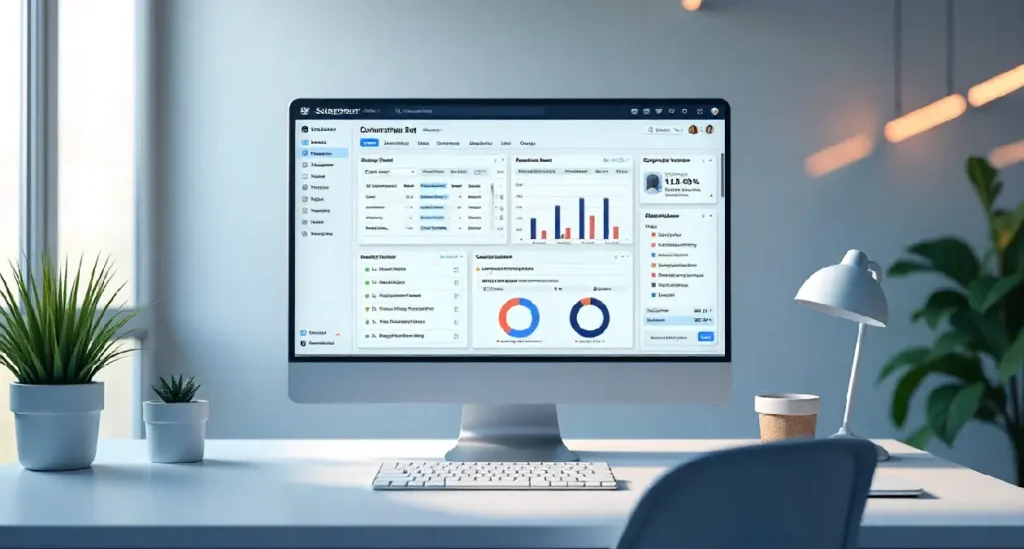

Why Business Websites Need a Custom Backoffice
Most business websites start small. A few pages, a contact form, maybe a blog. At that stage, almost any CMS admin panel feels good enough. The problem starts when the business grows. More content, more users, more internal processes, and suddenly the default admin panel feels like a bottleneck instead of a tool.
Generic backoffices are designed to work for everyone, which means they rarely work perfectly for anyone. Sales teams struggle to manage leads. Marketing teams click through unnecessary options. Managers depend on developers for small changes. This is where learning how to create a custom backoffice with Sulu CMS becomes valuable for business websites.
A custom backoffice aligns the admin experience with how the business actually operates. Instead of forcing teams to adapt to the software, the software adapts to the team. That shift alone can save hours every week and reduce costly mistakes.
The Real Problems with Generic Admin Panels
Generic admin panels often mix unrelated features together. Important actions are buried under layers of navigation. Permissions are too broad or too limited. For business websites, this creates friction and increases dependency on technical staff.
How a Custom Backoffice Improves Daily Business Operations
A well-designed backoffice reflects real workflows. Sales teams see leads first. Content teams see publishing tools first. Managers see reports. When the backoffice supports daily tasks naturally, productivity increases without extra training.
Why Sulu CMS Is a Strong Fit for Business Websites
Sulu CMS is not built just to manage pages. It is built to manage structured data and workflows. This is why many developers and agencies choose it when building serious business websites.
Sulu CMS Philosophy and Business Alignment
Sulu focuses on flexibility and structure. It assumes that every project is different. That mindset makes it ideal for businesses with unique processes. When asking how to create a custom backoffice with Sulu CMS, the answer often starts with this flexibility.
How Sulu Differs from Traditional CMS Platforms
Unlike many CMS platforms that lock you into predefined content types, Sulu allows you to define exactly what data matters. This means your backoffice grows with your business instead of limiting it.
Understanding What “Custom Backoffice” Really Means
A custom backoffice is not just a redesigned dashboard. It is a system that represents how your business works internally.
Beyond Pages and Posts
Business websites manage more than content. They manage customers, inquiries, orders, requests, approvals, and reports. A custom backoffice brings all of this into one place.
Turning Business Processes into Admin Features
Each business process becomes a feature. Lead follow-ups become workflows. Order approvals become status changes. Reports become dashboards. This is the practical side of custom backoffice with Sulu CMS.
Planning a Custom Backoffice the Right Way
Good planning prevents wasted development time. Before touching code, you need clarity.
Identifying Business Goals Before Writing Code
Ask simple questions. What problems are teams facing today? What takes too long? What causes errors? The answers guide the entire backoffice design.
Defining User Roles and Responsibilities
Different users need different tools. Editors should not see system settings. Sales staff should not edit website structure. Clear roles improve security and usability.
Preparing the Technical Foundation
A stable foundation ensures long-term success.
Choosing the Right Hosting and Environment
Business websites need reliable hosting. Choose environments that support PHP, Symfony, and database scalability. Many U.S. providers meet these requirements easily.
Installing and Configuring Sulu CMS
Install Sulu cleanly. Configure environments properly. This avoids issues later when you extend the backoffice.
Understanding the Sulu Admin Architecture
Sulu’s admin architecture is designed to be modular, which is one of its biggest advantages for business websites. Instead of one large, tightly coupled system, the admin interface is built from independent pieces that work together. This approach makes it easier to understand, extend, and maintain the backoffice as business requirements change over time.
How the Sulu Admin Interface Works
The Sulu admin interface is composed of views, lists, and forms, each with a clear role. Views define what the user sees, lists organize and display data, and forms handle editing and updates. When these elements are combined thoughtfully, the backoffice becomes predictable and easy to use. Understanding this structure helps developers customize the system safely without breaking existing functionality.
Why This Architecture Supports Customization
Because each part of the admin interface is modular, new features can be added without disrupting unrelated areas. This is especially important for growing business websites where requirements evolve. The modular design allows teams to extend the backoffice gradually instead of rebuilding it every time needs change.
Creating a Custom Admin Bundle
Custom admin bundles are the foundation of backoffice customization in Sulu. They provide a structured way to add new features while keeping the core system clean and stable.
What an Admin Bundle Is and Why It Matters
An admin bundle groups related backoffice functionality into a single, organized unit. This separation ensures that custom business logic does not interfere with core Sulu features. It also makes updates and maintenance much safer over the long term.
Structuring a Clean and Maintainable Bundle
A well-structured bundle uses clear naming, logical folders, and consistent configuration. This clarity helps future developers understand how the system works and makes extending the backoffice far less risky as the project grows.
Designing Backoffice Screens for Business Users
Backoffice screens should be built around how people actually work, not how systems are structured. Many business users are not technical, so they rely on clarity rather than instructions. When screens feel crowded or unclear, users hesitate, make mistakes, or avoid certain features altogether. Good backoffice design removes that friction by making every action feel obvious and safe.
Building Views That Match Business Workflows
Each screen should support one clear task, such as reviewing leads, updating orders, or approving requests. If users need to stop and think about where to click next, the screen is not aligned with their workflow. A well-designed view guides users step by step, so completing a task feels natural instead of forced.
Making the Interface Intuitive for Non-Technical Users
Non-technical users depend on clear labels, predictable actions, and clean layouts. When buttons, fields, and actions behave consistently, users gain confidence quickly. Reducing clutter and removing unnecessary options makes the backoffice easier to learn and faster to use.
Managing Business Data with Custom Entities
Business websites run on structured data, not just content. Custom entities allow important information to be stored, managed, and updated in a way that matches real business needs. Without proper data structure, systems become hard to maintain and difficult to scale.
Modeling Business Data Correctly
Custom entities should represent real-world objects like customers, inquiries, or transactions. When data models are poorly designed, teams struggle with missing information, duplicate records, and unreliable reports. Clear data modeling prevents these issues and supports long-term growth.
Practical Examples Like Leads, Orders, and Requests
Entities such as leads, orders, and service requests allow teams to manage operations directly inside the backoffice. This reduces reliance on spreadsheets or external tools and keeps all business activity organized in one place.
Creating Powerful and Practical Admin Forms
Admin forms are the place where most daily work actually happens inside a backoffice. Every update, approval, or data entry task depends on how clear and usable these forms are. When forms are confusing or cluttered, teams slow down, make mistakes, and lose confidence in the system. A practical admin form should guide users naturally, showing only what matters at the right moment. When designed well, forms stop feeling like a task and start feeling like a helpful tool that supports how teams already work.
Designing Forms That Reduce Errors
Forms are where most work happens inside a backoffice, so poor design quickly turns into wasted time and mistakes. When forms use smart defaults, clear labels, and logical grouping, users do not have to stop and think at every step. This reduces incorrect entries and lowers the need for follow-up fixes. A well-designed form quietly guides users toward the right action without extra instructions.
Improving Speed and Accuracy for Teams
Teams work faster when forms feel predictable and forgiving. Clear validation messages and sensible field order help users complete tasks confidently instead of second-guessing their input. Over time, this consistency improves accuracy and builds trust in the system.
Implementing Role-Based Access and Permissions
Permissions are not just about security; they define how smoothly teams can work. When access is too open, mistakes happen. When it is too restricted, people get blocked. A balanced permission setup protects data while keeping workflows moving.
Configuring Roles for Real Teams
Roles should be based on what users actually do each day, not their job titles. For example, someone who reviews content may not need the ability to delete records. Aligning permissions with responsibilities keeps the backoffice practical and reduces risk.
Security and Compliance Considerations
For U.S. business websites, proper access control supports internal accountability and regulatory expectations. Knowing who can view or change sensitive data helps maintain trust and avoids compliance issues.
Integrating Business Tools and External Systems
Most businesses already rely on multiple tools to run daily operations. A custom backoffice should connect with these tools instead of forcing teams to switch platforms constantly. Integration turns the backoffice into a central working environment rather than just a content tool.
Connecting CRMs, Analytics, and Other Services
When the backoffice connects directly to CRMs, analytics platforms, or reporting tools, data stays consistent and up to date. This reduces manual entry, minimizes errors, and saves time across teams.
Automating Business Operations
Automation removes repetitive tasks that slow teams down. Status updates, notifications, and data syncing can happen automatically, allowing teams to focus on decisions instead of routine work.
Performance and Scalability for Growing Businesses
As a business grows, the backoffice often becomes slower before anyone notices why. More data, more users, and more daily actions put pressure on systems that were only designed for small workloads. A custom backoffice must be built with growth in mind, so it continues to feel fast and reliable even as the business expands.
Designing the Backoffice for Growth
Growth is predictable. More records, more permissions, and more workflows will come. Planning for this early prevents painful rewrites later. A scalable backoffice keeps data structured, avoids unnecessary queries, and separates features cleanly so new functionality can be added without breaking existing work.
Keeping the Admin Fast Over Time
Speed matters more in the backoffice than on the public website because teams use it all day. Slow loading screens and delayed actions frustrate users and reduce productivity. Regular performance checks and small optimizations over time keep the admin responsive and easy to work with.
Securing the Custom Backoffice
Security is critical because the backoffice holds the most sensitive business data. Customer information, internal notes, and operational details all live here. A secure backoffice protects not only data but also trust inside the organization.
Protecting Sensitive Business Data
Strong authentication, role-based access, and encrypted connections ensure that only the right people can view or change data. Each user should see only what they need to do their job, nothing more.
Preventing Common Security Risks
Many security problems come from shortcuts, such as exposing admin routes publicly or giving users excessive permissions. Keeping the backoffice private and tightly controlled reduces risk significantly.
Testing and Maintaining the Backoffice
A backoffice is never finished. It evolves as the business changes. Testing and maintenance ensure it stays reliable instead of becoming fragile over time.
Testing from a Business User Perspective
Testing should focus on real tasks, not just technical success. If users can complete their daily work smoothly, the backoffice is doing its job.
Maintaining Stability Through Updates
Regular updates keep the system secure and compatible with new features. Small, consistent maintenance prevents large, disruptive problems later.
Common Mistakes Businesses Make
Most mistakes happen because businesses assume they know what users need before watching how they actually work. A backoffice is often designed in meetings instead of real working conditions. When assumptions replace observation, the system looks good on paper but feels heavy and confusing in daily use.
Overengineering the Backoffice
Many teams add too many features too early, thinking it will save time later. In reality, this creates clutter, slows down users, and makes simple tasks feel complicated. A backoffice should solve today’s problems clearly, not prepare for every possible future scenario. Simpler systems are easier to use, easier to maintain, and scale more naturally as the business grows.
Ignoring Real User Behavior
Users do not follow ideal workflows. They move fast, skip steps, and focus on finishing tasks, not learning systems. When a backoffice is built without real user feedback, frustration increases and adoption drops. Watching how teams actually use the system and adjusting based on that behavior leads to a backoffice that feels natural instead of forced.
Conclusion
Learning how to create a custom backoffice with Sulu CMS allows business websites to move beyond limitations. A custom backoffice turns the admin area into a business tool instead of a technical barrier. When designed around real workflows, supported by clean architecture, and maintained properly, it becomes a long-term asset that supports growth, efficiency, and clarity across the organization.
FAQs
1. Is Sulu CMS suitable for U.S.-based business websites?
Yes, it works well with modern hosting, security standards, and scalable architectures commonly used in the U.S.
2. Can non-technical teams use a custom Sulu backoffice easily?
Yes, when designed correctly, it improves usability for non-technical users.
3. How long does it take to build a custom backoffice with Sulu CMS?
Timelines vary, but proper planning significantly reduces development time.
4. Can a Sulu backoffice integrate with existing business tools?
Yes, Sulu supports API-based integrations smoothly.
5. Is a custom backoffice worth the investment for business websites?
For growing businesses, the efficiency and control gained often outweigh the initial cost.