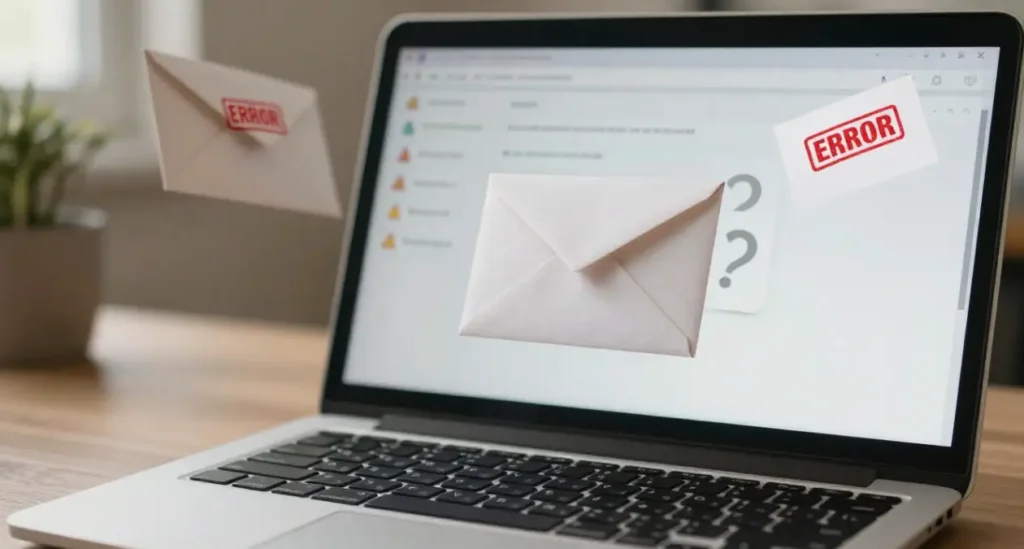

Transactional emails are critical for any WordPress website. They keep your users informed about purchases, sign-ups, password changes, or other important actions. But if your users are scratching their heads after reading your emails, it’s time to ask: why my WordPress website confusing transactional emails? Let’s break it down.
Understanding Transactional Emails in WordPress
What Are Transactional Emails?
Transactional emails are automated emails triggered by a user action on your website. Think order confirmations, password resets, or membership updates. Unlike newsletters, these emails are personal and action-specific.
Why Transactional Emails Matter for Your Website
Imagine buying a product and never receiving a confirmation email. Frustrating, right? Confusing transactional emails can damage trust, reduce engagement, and even increase support queries. That’s why clarity and reliability matter.
Common Signs of Confusing Transactional Emails
Users Reporting Misleading Information
If your users frequently contact you asking for clarification about their orders or account updates, it’s a red flag. Misleading information in emails can frustrate users and harm your brand’s credibility.
Inconsistent Email Formatting
Some emails may look professional, while others appear broken or unformatted. Inconsistent styling makes emails harder to read and diminishes user trust.
Delivery Issues or Spam Problems
When emails end up in spam folders or don’t arrive at all, confusion escalates. Users may assume actions weren’t completed, creating unnecessary panic.
Reasons Why My WordPress Website Confusing Transactional Emails
Improper Email Configuration
WordPress by default uses PHP mail() for sending emails, which can be unreliable. Without proper configuration, emails may fail, arrive late, or appear inconsistent.
Conflicts with Plugins or Themes
Sometimes, multiple plugins that send emails conflict with each other. Themes can also override email templates, causing formatting issues.
Using the Default WordPress Mail Function
Default mail functions are not optimized for deliverability. Many hosting servers block or limit these emails, leading to delivery failure and confusing messages.
How Email Deliverability Affects User Experience
Role of SMTP in Email Deliverability
SMTP plugins ensure your WordPress emails are sent via a reliable mail server. This drastically improves deliverability and reduces confusion.
Impact of Poor Deliverability on Engagement
If users don’t receive emails on time or at all, engagement drops. They might abandon their cart, forget passwords, or unsubscribe from updates.
Common Plugin Mistakes That Confuse Emails
Multiple Email Plugins Active at Once
Running more than one email-related plugin can create conflicts. Your users might receive duplicate emails or broken templates. Using a content control plugin may help maintain clean email permissions and reduce confusion
Misconfigured WooCommerce or Membership Emails
Customizing WooCommerce emails without proper testing can lead to unclear or missing information. Membership sites often face similar issues with notification emails.
Email Design and Content Issues
Lack of Branding or Clear Subject Lines
Emails without your logo, brand colors, or clear subject lines confuse users. A subject like “Update” doesn’t tell the recipient anything useful.
Confusing or Overloaded Content
Too much information, mixed messages, or unclear instructions can frustrate users. Keep transactional emails concise and action-oriented.
How to Test Transactional Emails Effectively
Using Staging Sites for Email Testing
Always test emails in a staging environment before going live. This prevents live users from receiving confusing or broken emails.
Tools to Check Email Deliverability and Appearance
Services like MailTester, Litmus, or Email on Acid help check how emails appear in different inboxes and whether they’re marked as spam.
Best Practices to Fix Confusing Transactional Emails
Use SMTP Plugins for Reliable Sending
Plugins like WP Mail SMTP or Post SMTP ensure emails are sent securely and reliably, reducing delivery issues and confusion.
Standardize Email Templates Across Your Site
Maintain uniform design and content style for all transactional emails. Consistency builds trust and improves user experience.
Regularly Test and Monitor Email Performance
Schedule routine testing, check spam reports, and ask for user feedback. Monitoring helps identify confusing elements before they become major problems.
Conclusion
Confusing transactional emails can hurt your WordPress website’s credibility, user engagement, and overall success. From plugin conflicts to poor configuration and unclear content, multiple factors contribute. By understanding why my WordPress website confusing transactional emails, testing, and following best practices, you can create clear, professional, and reliable email communication for your users.
FAQs
Q1: How can I prevent my WordPress emails from being confusing?
Use SMTP plugins, standardize templates, and regularly test emails for clarity and accuracy.
Q2: Do all WordPress plugins affect transactional emails?
Not all, but some email-related or e-commerce plugins can conflict and cause confusion if misconfigured.
Q3: Can I use third-party services to improve my emails?
Yes, services like SendGrid, Mailgun, or Amazon SES improve deliverability and reduce confusion.
Q4: Why do users sometimes not receive my WordPress emails?
Common reasons include server restrictions, spam filtering, or PHP mail() limitations.
Q5: How often should I test my transactional emails?
Test monthly or after any plugin/theme updates to ensure emails are clear, consistent, and reliably delivered.